Got a project in mind?
We’d love to hear about it.

Get in touch
Yellow Peach web design agency

WordPress vs Squarespace: Which Platform is Better in 2026?

Yellow Peach
written by Matt

Guides

We compare WordPress and Squarespace on cost, design, flexibility and SEO to help you choose the right platform for your business in 2026.

Choosing a website platform shapes far more than how your site looks on launch day. It determines how much control you have over your design, how easily you can grow, and how much you’ll be paying, and to whom, three years from now.

WordPress and Squarespace sit at fairly opposite ends of the website-building spectrum. Squarespace is a closed, all-in-one platform built around beautiful templates and zero technical overhead. WordPress is an open-source content management system that gives you full ownership and near-unlimited flexibility, at the cost of a steeper learning curve.

We build WordPress websites, so we’ll be upfront about that. But we’ve worked with plenty of businesses migrating away from Squarespace once they’ve outgrown it, and we’ve seen where it genuinely earns its reputation too. This isn’t about steering you towards the platform we happen to build on, it’s about helping you pick the one that actually fits your business.
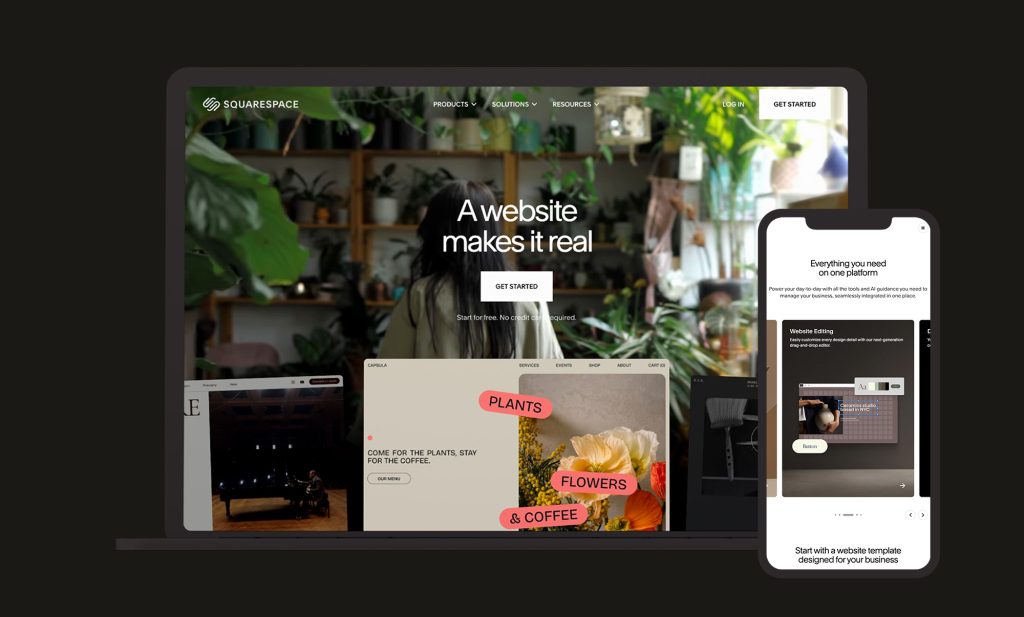
Squarespace Device Mockups

WordPress vs Squarespace Market Share 2026

WordPress remains the dominant force in website building by a wide margin. W3Techs data from 2026 puts WordPress at 43.5% of all websites on the internet, and roughly 62-63% of the CMS market among sites where the underlying platform is identifiable.

Squarespace, by comparison, holds a much smaller slice: approximately 2.5% of all websites and around 3.5% of the CMS market. It’s a distant player in raw numbers, but that understates its actual position. Squarespace punches well above its market share in the premium, design-led segment, capturing close to 39% of the top 10,000 websites built on website builders, well ahead of Wix in that same tier.

That split tells its own story. WordPress is the default across almost every category and scale of website, from personal blogs through to enterprise platforms. Squarespace has carved out a specific, well-defended niche: creatives, small businesses, and brands where visual polish matters more than deep customisation.

WordPress VS Squarespace: Setup and Ease of Use

How Easy is Squarespace to Set Up?

Squarespace is built for speed. Pick a template, drop in your content, connect a domain, and you’re live. Hosting, SSL, and security all come bundled in, with nothing to configure on the server side. Squarespace’s templates are widely regarded as the most polished of any mainstream builder, and its drag-and-drop editor makes it genuinely difficult to end up with an ugly site.

For a solo founder, freelancer, or small business wanting a professional-looking site live within a day or two, Squarespace is very hard to beat on pure ease of use.

How Easy is WordPress to Set Up?

WordPress asks more of you upfront. You’ll need hosting, a domain, and either the time to learn how themes and plugins fit together or a developer to handle that for you. That’s a genuinely different starting point to Squarespace’s all-in-one model.

What you get in exchange is a site built around your specific requirements rather than fitted into a template’s constraints. For most business websites of any real complexity, that trade-off pays off quickly, particularly once the site needs to do more than simply exist.

It’s also worth remembering that most businesses building anything beyond a small brochure site bring in a developer or agency regardless of platform. In that context, the setup gap between WordPress and Squarespace narrows considerably, since the complexity is handled on your behalf either way.

If you’d like an honest read on which platform actually fits your requirements, our team is happy to talk it through.

Yellow Peach

WordPress vs Squarespace: Cost and Feature Comparison

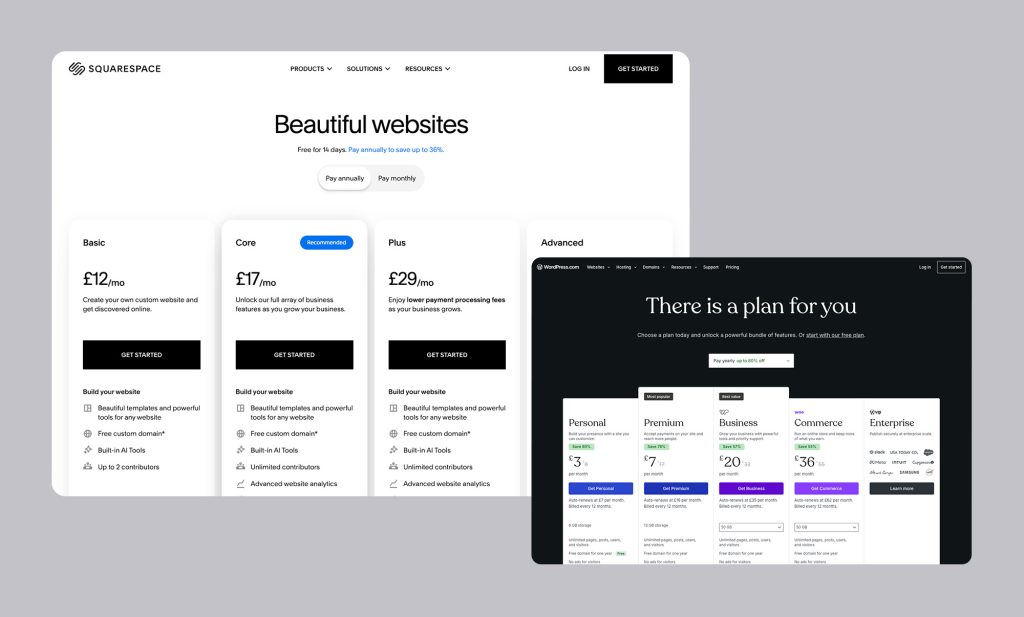
Squarespace’s pricing is refreshingly simple to state, one predictable monthly fee, everything included. WordPress’s costs are more variable but, at scale, often work out considerably lower.
 

WordPress Squarespace Basic Squarespace Core Squarespace Plus
Monthly Platform Fee Free £12/mo £17/mo £29/mo
Transaction Fee None Basic Squarespace fee applies 3.0% None
Hosting £20-£100/mo Included Included Included
Typical App / Plugin Spend £0-£50/mo Limited third-party apps Limited third-party apps Limited third-party apps
Custom CSS / Code Full Not Available Available Available
Design Flexibility Full Template-based Template-based Template-based
Platform Lock-In None High High High


Squarespace UK pricing correct as of mid-2026, billed annually. WordPress hosting costs vary by provider and site requirements.

How Much Does Squarespace Cost? (UK)

Squarespace’s four tiers run from £12/month for the Basic plan (annual billing) up to £79/month for Advanced. Most small UK businesses land on the Core plan at £17/month, which adds custom CSS and removes some of the marketing restrictions on Basic, though it still carries a 3% transaction fee on sales. Businesses selling more than a modest amount tend to move up to the Plus plan (£29/month) specifically to escape that fee.

The appeal is predictability. You know exactly what you’re paying each month, with hosting, security, and templates all bundled in. There’s little risk of unexpected costs stacking up, provided your needs stay within what a template can deliver.

How Much Does WordPress Cost? (UK)

WordPress itself is free, with your ongoing costs coming from hosting (typically £20-£100/month for quality managed hosting), your domain, and any premium themes or plugins your project requires. There are no platform-level transaction fees at all, so your only payment costs are whatever your processor (Stripe, PayPal, and so on) charges, which you’d pay under any platform.

For a business generating meaningful revenue through the site, the absence of a percentage-based platform fee adds up fast. A Squarespace store on the Core plan taking £5,000 a month in sales pays roughly £150 a month in transaction fees alone, on top of the subscription. The equivalent WordPress site pays nothing equivalent to that.

The honest caveat is that WordPress’s total cost depends heavily on how the site is built and maintained. A poorly specced host or a bloated plugin stack can easily erase any savings.

Our WordPress development team can help you understand what a realistic cost picture looks like for your specific requirements before you commit either way.

Flexibility and Customisation

How Flexible is Squarespace?

Squarespace offers real flexibility within its own walls. Templates are extensive and consistently well-designed, and the Core plan and above allow custom CSS injection for businesses that want to push past the default styling. For most standard brochure or small ecommerce sites, that’s more than enough.

The trade-off is that you’re always working inside Squarespace’s defined structure. Squarespace supports roughly 40 third-party extensions, a fraction of WordPress’s plugin ecosystem, and there’s no way to install custom functionality the platform doesn’t natively support. If a feature doesn’t exist in Squarespace, there’s no workaround beyond leaving the platform entirely.

That’s a reasonable trade for a business that wants design quality with minimal fuss and doesn’t expect to outgrow it. It becomes a real constraint the moment your requirements move beyond what a template was built to handle.

How Flexible is WordPress?

WordPress’s open-source foundation means there’s essentially no ceiling on what you can build. You can modify any element of design or functionality, integrate with almost any third-party system, and build genuinely custom features rather than working around a template’s assumptions.

With over 59,000 free WordPress plugins available, alongside thousands of themes and an enormous developer ecosystem, there’s very little a WordPress site can’t eventually do. You own your code, your content, and your infrastructure outright. No platform can change its pricing, deprecate a feature, or shut down and take your site with it.

For businesses where content, whether that’s a blog, resource hub, or SEO-driven landing pages, sits at the centre of the strategy, WordPress’s flexibility is a genuine structural advantage over a templated builder.

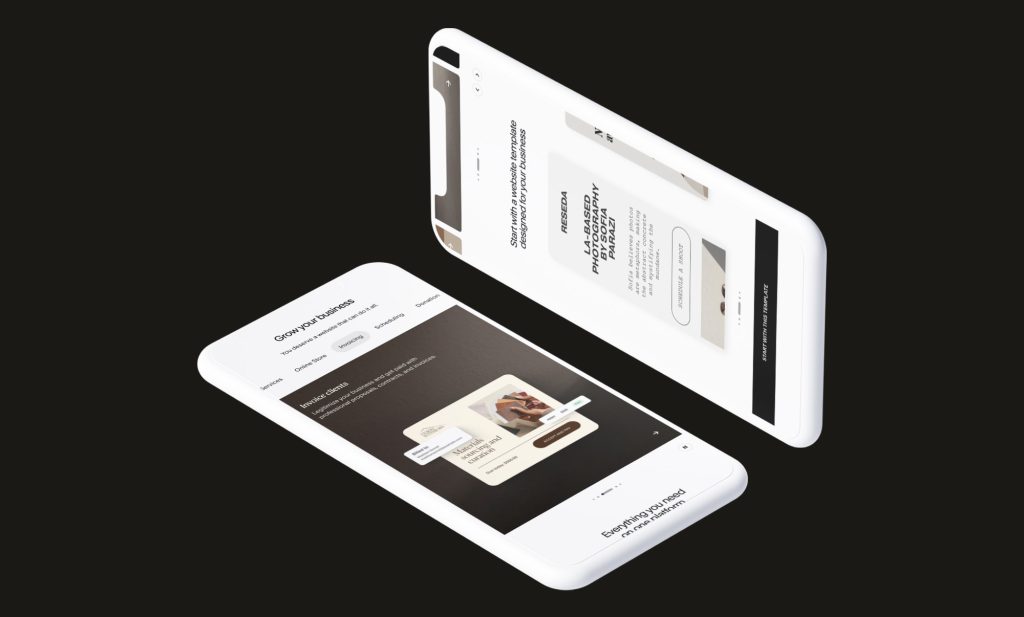
Squarespace Sideways Phones

WordPress vs Squarespace: SEO Comparison

This is one of the more decisive differences between the two platforms. WordPress, running plugins like Yoast SEO or Rank Math, gives you granular control over metadata, schema markup, redirects, sitemaps, and content structure. URL structures are fully flexible, and you can build topic clusters and content-driven landing pages within the same platform as the rest of your site.

Squarespace includes solid basic SEO tools, editable meta tags, alt text, and clean URL slugs, but it doesn’t support third-party SEO plugins, and its technical controls are noticeably more limited. Robots.txt is generated automatically and can’t be edited directly; you can only apply a basic noindex toggle per page rather than write custom crawl directives.

The practical outcome shows up in the data. Ahrefs research from 2026 found that 46.1% of WordPress sites generate measurable organic search traffic, compared to just 15.1% of Squarespace sites. That’s not solely a platform effect, WordPress attracts more SEO-focused users to begin with, but the gap in available tooling is real and matters more the more seriously you take organic growth as a channel.

Squarespace does have one genuine technical edge worth noting: its templates tend to perform very well on Core Web Vitals out of the box, with a 96% pass rate on Interaction to Next Paint, ahead of the WordPress average. A well-built, properly hosted WordPress site can match or beat that, but it takes deliberate optimisation to get there rather than coming for free.

If organic search is central to how your business plans to grow, WordPress’s SEO ceiling is considerably higher.

WordPress vs Squarespace: Security & Maintenance

Squarespace handles security centrally. SSL, hosting infrastructure, and platform-level updates are all managed for you, and there’s no theme or plugin stack to keep patched. For a business without technical staff, that removes an entire category of ongoing responsibility.

WordPress, being self-hosted, puts security in your hands or your developer’s. That means keeping WordPress core, your theme, and every plugin updated, running protection like Wordfence, and maintaining a reliable backup routine. Done properly, WordPress sites are very secure, WordPress security infrastructure has matured considerably. Done carelessly, outdated plugins are consistently the most common source of vulnerabilities.

The honest comparison: Squarespace’s security is largely passive from your side. WordPress’s is something you, or whoever maintains your site, needs to actively stay on top of.

WordPress vs Squarespace: Design and Template Quality

This is where Squarespace’s reputation is genuinely well earned. Its templates are consistently among the most visually polished available on any platform, clean typography, considered spacing, and a strong baseline aesthetic that makes it difficult to publish something that looks unprofessional. For photographers, restaurants, and creative or wellness businesses in particular, that out-of-the-box design quality is a real advantage.

WordPress’s design quality depends entirely on how the site is built. A generic page-builder theme can look dated fast; a custom-built WordPress theme, designed specifically around your brand, can match or exceed anything Squarespace offers, but it isn’t handed to you by default the way it is on Squarespace.

At Yellow Peach, we build bespoke WordPress themes rather than working from off-the-shelf templates, specifically because it removes that ceiling. You get a design built around your brand rather than adapted to fit someone else’s structure, without giving up any of WordPress’s flexibility elsewhere.

Which Is Better: WordPress VS Squarespace

There is no universal answer, but there is usually a clearer answer for any specific business.

Here’s how we’d frame it:

WordPress Squarespace
Content-Led / SEO-First
WordPress is a Better Fit
Design and Feature Customisation
WordPress is a Better Fit
Cost Control at Higher Traffic / Revenue
WordPress is a Better Fit
Long-Term Data Ownership
WordPress is a Better Fit
Complex Functionality
WordPress is a Better Fit
Fastest Time to Launch
Squarespace is a Better Fit
Best Out-of-the-Box Design
Squarespace is a Better Fit
Fully Managed Hosting
Squarespace is a Better Fit
Predictable All-in-One Cost
Squarespace is a Better Fit
Simple Portfolio or Brochure Site
Squarespace is a Better Fit


The common mistake is choosing a platform based on how quickly you can launch rather than whether it’ll still serve you in three to five years. Squarespace wins on day one; WordPress tends to win once a website becomes a genuine growth channel rather than a digital business card.

Building or Migrating Your Site to WordPress?

Whether you’re starting from scratch, outgrowing a template-based platform, or considering a migration from Squarespace to WordPress, we can help you build a site designed for long-term performance, SEO, and growth.

Share this article

Ready to push your platform?

Ready to push your platform?

Ready to push your platform?

Ready to push your platform?

Ready to push your platform?

Ready to push your platform?

Ready to push your platform?

Ready to push your platform?

Ready to push your platform?

Ready to push your platform?

Ready to push your platform?

Ready to push your platform?

Ready to push your platform?

Ready to push your platform?

Ready to push your platform?

Ready to push your platform?

Ready to push your platform?

Ready to push your platform?

Ready to push your platform?

Ready to push your platform?

Ready to push your platform?

Ready to push your platform?

Ready to push your platform?

Ready to push your platform?

Ready to push your platform?

Ready to push your platform?

Ready to push your platform?

Ready to push your platform?

Ready to push your platform?

Ready to push your platform?

Ready to push your platform?

Ready to push your platform?