Got a project in mind?
We’d love to hear about it.

Get in touch
Yellow Peach web design agency

We compare WordPress and Drupal on security, governance, cost and enterprise readiness to help you choose the right CMS in 2026.

Drupal and WordPress share more history than most rival platforms, both launched in the early 2000s, both open source, both free at the core. But they were built to solve different problems. WordPress prioritised ease of publishing from day one. Drupal prioritised structure, permissions, and governance, the kind of controls large organisations with multiple teams, strict compliance requirements, or complex content hierarchies actually need.

That positioning shows clearly in who uses each platform. WordPress runs everything from personal blogs to major media sites. Drupal has become the platform of choice for governments, universities, and large enterprises, organisations including Amazon, Walmart, and Apple have Drupal somewhere in their technology stack, even where it isn’t necessarily their primary public-facing platform.

We build primarily on WordPress, so we’ll say upfront where our bias sits. But Drupal’s reputation in the enterprise and public sector space is genuinely earned, and this comparison is really about matching the platform to the governance and complexity your organisation actually needs, not declaring an outright winner.
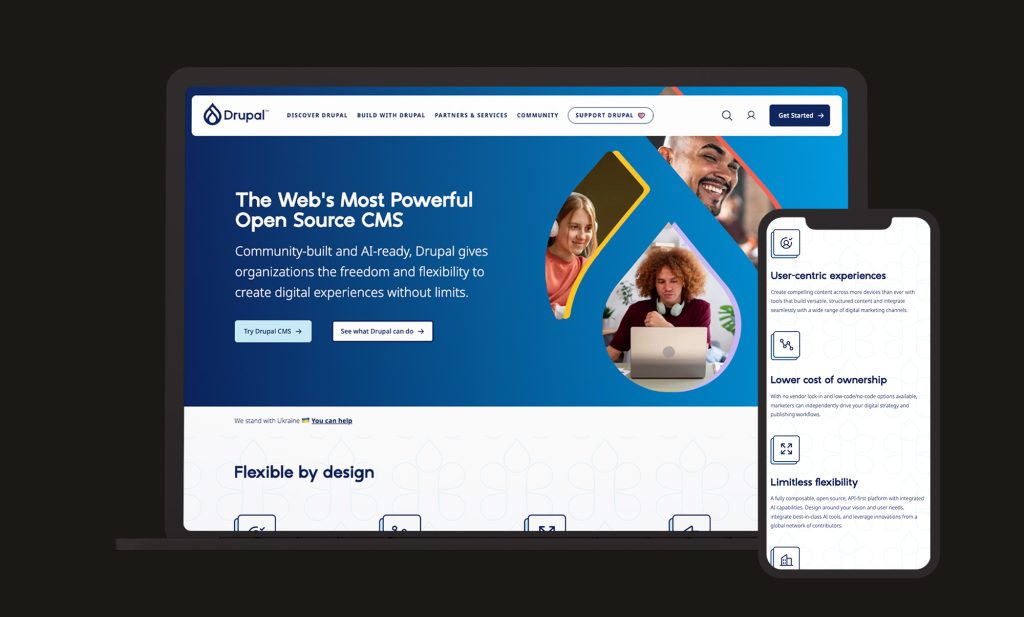
Drupal Device Mockups

WordPress vs Drupal Market Share 2026

On raw numbers, this isn’t close. WordPress powers roughly 42-43% of all websites globally and roughly 60% of the CMS market. Drupal sits at under 1% of all websites, having declined steadily from a 2011 peak, largely squeezed out at the lower end by no-code website builders rather than by WordPress directly.

The picture changes considerably at the enterprise tier. Among the top 10,000 websites by traffic, Drupal’s share rises to 7.2%, while WordPress’s share among that same group falls to roughly 49%. Drupal was never trying to win the mass market; its declining overall share reflects lost ground among smaller sites that were never its target audience, while its position among large, complex, high-governance organisations has remained comparatively stable.

Worth flagging for anyone currently running Drupal is that Drupal 10 reaches end of life on 9 December 2026, making an upgrade to Drupal 11 a live consideration for existing Drupal sites this year, and a natural moment for some organisations to evaluate whether to migrate elsewhere entirely.

WordPress vs Drupal: Who Each Platform Is Actually Built For

Who is Drupal Built For?

Drupal was built around fine-grained permissions, complex content structures, and multi-site management from the outset. Its taxonomy system, content moderation workflows, and role-based access controls are native to the platform, well-suited to organisations where dozens of contributors across different departments need carefully scoped editing permissions.

This has historically come at the cost of accessibility for non-technical users, Drupal has long had a reputation for a steeper learning curve than WordPress. That’s shifting, though: Drupal CMS 2.0, released in January 2026, introduced Drupal Canvas, a visual drag-and-drop page builder, along with AI-assisted page generation and ready-made site templates, specifically aimed at closing that usability gap for marketing teams who previously found Drupal difficult to work in day-to-day.

Not sure whether your organisation’s governance needs genuinely warrant Drupal, or whether WordPress with the right configuration would serve you just as well? We’re happy to talk it through.

Who is WordPress Built For?

WordPress optimises for speed and accessibility. Its plugin and theme ecosystem means most standard business requirements, blogs, brochure sites, ecommerce via WooCommerce, membership sites, can be met quickly, often without custom development. Editorial teams can typically self-manage day-to-day content without ongoing developer involvement.

That accessibility comes with a lighter default approach to governance. WordPress’s permission system is comparatively simple out of the box, and achieving the kind of granular, role-based content workflows that large organisations often require typically means layering plugins on top of core functionality.

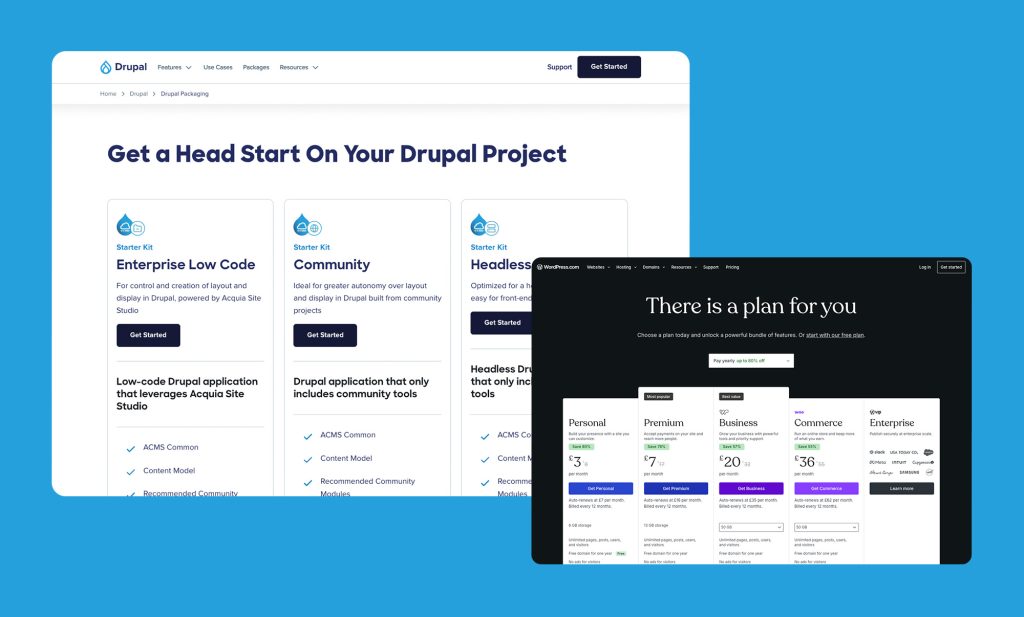
Drupal-Pricing

WordPress vs Drupal: Cost and Feature Comparison

There’s no commercial licensing fee to factor in here, both WordPress and Drupal are free, open-source software at their core. The real cost differences show up in development complexity, hosting requirements, and ongoing maintenance overhead.
 

WordPress Drupal (Community) Drupal (Enterprise via Acquia)
Licence Cost Free Free Free core, paid platform / support
Typical Hosting £20-£100/mo £50-£300/mo (higher resource needed) Enterprise pricing, quote-based
Initial Build Complexity Lower, theme-driven Higher, more configuration-led Higher, enterprise-implementation
Ongoing Admin Overhead Lower Moderate – Governance takes setup time Managed via platform
Contributed Modules 59,000+ plugins ~5,600+ modules ~5,600+ modules

 
Costs vary significantly by project complexity and hosting provider; figures are indicative only.

How Much Does Drupal Cost?

Drupal core carries no licence fee, but Drupal projects typically demand more specialised development time than an equivalent WordPress build, Drupal development skills are less widely available and generally command higher day rates, reflecting the platform’s more technical nature. Hosting tends to run higher too, since Drupal sites are commonly more resource-intensive, particularly at the multi-site or high-traffic scale Drupal is often chosen for.

Larger organisations frequently run Drupal through Acquia, a managed enterprise platform built around Drupal that bundles hosting, support, and additional governance tooling. That’s a meaningful additional cost layer beyond core Drupal itself, but one many enterprise buyers factor in as the price of dedicated support at scale.

How Much Does WordPress Cost?

WordPress’s costs follow the familiar pattern: free core software, hosting from roughly £20-£100/month depending on requirements, and optional premium themes or plugins. For most standard business websites, WordPress remains the lower-cost route to a fully functional site, both in initial build cost and the ongoing pool of available development talent.

That advantage narrows for organisations that need Drupal-grade governance replicated on WordPress. Building equivalent multi-department permission structures, content moderation workflows, and complex taxonomies on WordPress is achievable but typically requires custom development and a more considered plugin stack than a standard WordPress build, work that Drupal handles closer to natively.

Our WordPress development team can help you scope what a realistic build looks like against your organisation’s actual governance requirements.

WordPress vs Drupal: Access Control, Governance & Multi-Site Management

This is Drupal’s clearest structural advantage, and the main reason it remains the platform of choice for governments, universities, and large regulated organisations. Its permissions system supports highly granular, role-based access down to individual content types and fields, and its native content moderation workflows let organisations define exactly how content moves from draft through review to publication across multiple departments.

Drupal’s multi-site architecture is also genuinely native: a single Drupal codebase can power dozens or hundreds of related sites (common in university department networks, for example) sharing core functionality while maintaining independent content and, where needed, independent governance.

WordPress Multisite offers comparable functionality for running several sites from one installation, and role and capability management has improved significantly over the years, particularly with plugins purpose-built for enterprise permission structures. But this is an area where WordPress’s plugin-driven approach shows its limits most clearly: achieving Drupal’s level of native, fine-grained governance on WordPress usually means assembling and maintaining several specialist plugins working together, rather than configuring capability that’s built into the platform from the start.

For organisations where audit trails, departmental separation, and formal publication workflows are a hard requirement rather than a nice-to-have, Drupal’s governance model remains genuinely difficult to match.

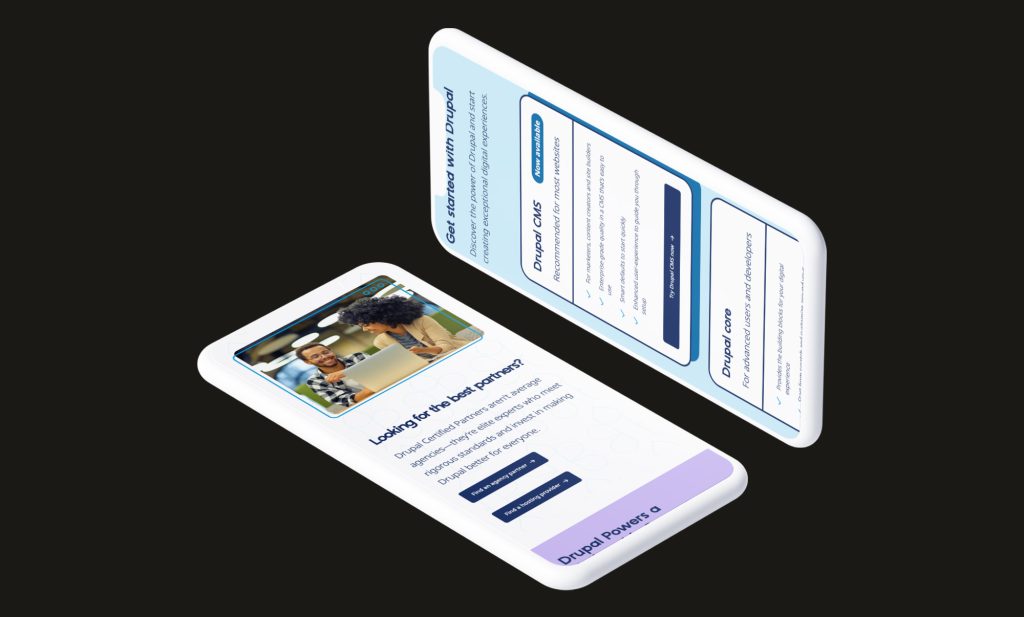
Drupal Sideways Phones

WordPress vs Drupal: SEO Comparison

WordPress’s SEO plugin ecosystem, led by tools like Yoast SEO or Rank Math gives editorial teams accessible, largely code-free control over metadata, schema, and site structure. For content teams who want to manage SEO themselves without developer involvement, that accessibility is a genuine advantage.

Drupal’s SEO capabilities are strong at a technical level, contributed modules cover metadata, XML sitemaps, and URL structure comprehensively, and Drupal’s taxonomy system lends itself naturally to well-organised, crawlable content architecture on large sites. What it lacks is WordPress’s single dominant, polished SEO plugin experience; Drupal’s SEO tooling tends to be more modular and more reliant on developer configuration to get right.

For large, multi-department sites specifically, Drupal’s structured content and taxonomy strengths can pay off in cleaner information architecture at scale, which matters for SEO on sites with genuinely large content volumes. For editorial teams who want to self-manage SEO without ongoing developer input, WordPress remains the more accessible option.

WordPress vs Drupal: Security & Maintenance

Security is one of the more data-backed differences in this comparison. In Sucuri’s 2024 website hacking analysis, Drupal accounted for just 0.4% of compromised sites analysed, notably below its market share, while WordPress plugin vulnerabilities have consistently accounted for the majority of reported WordPress security incidents, with core WordPress itself rarely the point of compromise.

Drupal’s security strength comes from how the platform is governed rather than any inherent technical superiority. Its dedicated Security Team reviews contributed modules, coordinates disclosure, and publishes security advisories on a predictable, formal schedule. Drupal’s configuration-as-code approach, where site configuration is exported, versioned, and deployed through proper pipelines, also aligns naturally with the kind of DevOps and audit practices security-conscious organisations already expect.

WordPress core security is genuinely solid and backed by an active security team of its own. The real exposure comes from WordPress’s scale and openness: with over 59,000 free plugins built by independent developers of wildly varying skill and maintenance commitment, a poorly maintained plugin stack remains the single most common route to compromise on WordPress sites, a manageable risk with disciplined plugin hygiene, but a real one at scale.

For organisations with formal compliance or audit requirements, Drupal’s governance-first approach to security is a genuine structural advantage. For most standard business websites, a well-maintained WordPress site with a lean plugin stack is entirely secure in practice.

Which Is Better: WordPress vs Drupal

WordPress Craft CMS
Fast, Cost-Effective Builds
WordPress is a Better Fit
Self-Managed Editorial Teams
WordPress is a Better Fit
Large Plugin / Theme Ecosystem
WordPress is a Better Fit
Wide Developer Talent Pool
WordPress is a Better Fit
Complex Governance & Permissions
Drupal is a Better Fit
Multi-Site, Multi-Department Networks
Drupal is a Better Fit
Formal Compliance & Audit Requirements
Drupal is a Better Fit
Large-Scale Institutional Sites
Drupal is a Better Fit

 
This comparison tends to resolve itself once you’re honest about scale and governance. If your organisation genuinely needs the kind of formal, multi-department permission structures and audit trails Drupal builds in natively, that need doesn’t go away simply because WordPress is cheaper to start with. If it doesn’t, WordPress will very likely get you to the same outcome faster and for considerably less.

Not Sure Which Platform Fits Your Organisation?

Whether you need a fast, cost-effective WordPress build or you’re weighing up whether your governance requirements genuinely call for a platform like Drupal, we can help you make the right call, and build it properly once you do.

Ready to push your platform?

Ready to push your platform?

Ready to push your platform?

Ready to push your platform?

Ready to push your platform?

Ready to push your platform?

Ready to push your platform?

Ready to push your platform?

Ready to push your platform?

Ready to push your platform?

Ready to push your platform?

Ready to push your platform?

Ready to push your platform?

Ready to push your platform?

Ready to push your platform?

Ready to push your platform?

Ready to push your platform?

Ready to push your platform?

Ready to push your platform?

Ready to push your platform?

Ready to push your platform?

Ready to push your platform?

Ready to push your platform?

Ready to push your platform?

Ready to push your platform?

Ready to push your platform?

Ready to push your platform?

Ready to push your platform?

Ready to push your platform?

Ready to push your platform?

Ready to push your platform?

Ready to push your platform?