Got a project in mind?
We’d love to hear about it.

Get in touch
Yellow Peach web design agency

How to Design a Website That Builds Trust Instantly

Yellow Peach
written by Matt

Guides

This comprehensive guide explores proven strategies from our years of experience developing high-trust websites for clients across a wide range of industries.

In today’s digital landscape, users make snap judgements about website credibility in less than 50 milliseconds. Whether you’re building a custom WordPress site or redesigning an existing platform, understanding the psychology and technical elements of trust-building design is critical for conversion success.

At Yellow Peach, we’ve built our reputation on creating custom WordPress websites that don’t just look professional, they convert visitors into customers through strategic trust-building elements.
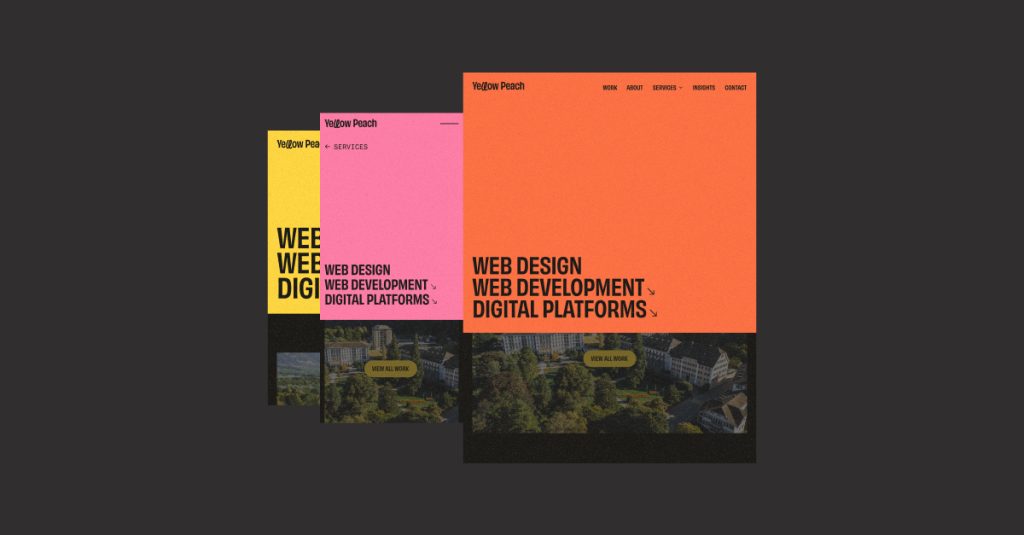
Website design navigation

Visual Hierarchy and Clean Design

Modern, trust-building designs use generous white space, clear visual hierarchy, and strategic use of color to guide users’ attention. We implement design systems that balance visual appeal with functional clarity to ensure that every element serves a purpose.

Our approach to WordPress design means we don’t rely on bloated page builders that compromise on flexibility and speed. Instead, we design and develop custom WordPress themes, centered around your business’ unique brand, that give you complete control over visual presentation while maintaining clean, semantic code.

Professional Typography

Typography is one of the most overlooked trust signals in website design. Unprofessional sites often use too many fonts, inappropriate font pairings, or suffer from poor readability and legibility.

Professionally-designed websites typically limit themselves to 2-3 complementary typefaces with clear hierarchical distinctions. Line height, letter spacing, and contrast all contribute to perceived credibility.

Page Speed: The Technical Trust Signal

Google’s research shows that 53% of mobile users abandon sites that take longer than 3 seconds to load. Page speed isn’t just a technical metric, it’s a direct trust indicator. Slow websites signal outdated technology, poor maintenance, or lack of investment in user experience.

Google’s Core Web Vitals, Largest Contentful Paint (LCP), First Input Delay (FID), and Cumulative Layout Shift (CLS), measure real user experience. Sites that score poorly on these metrics appear less trustworthy to both users and search engines.

W30C Website design accessibility

Accessibility: Universal Trust Through Inclusive Design

Accessibility isn’t just about legal compliance, it’s a powerful trust signal that demonstrates you value all users.

The World Health Organization estimates that 16% of the global population experiences some form of disability. Sites that ignore accessibility exclude a significant portion of potential customers and signal a lack of professionalism.

The Web Content Accessibility Guidelines (WCAG) provide a comprehensive framework for creating inclusive digital experiences.

At Yellow Peach, we follow best practices established in these guidelines to ensure your WordPress site meets WCAG 2.1 Level AA standards through:

  • Semantic HTML structure for screen reader compatibility
  • Sufficient color contrast ratios (minimum 4.5:1 for normal text)
  • Keyboard navigation support for all interactive elements
  • Descriptive alt text for images and ARIA labels where needed

Security Indicators: Visible and Invisible Trust Signals

Security is non-negotiable for modern websites. Visitors have learned to look for trust indicators like HTTPS, security badges, and privacy policies. A study from GlobalSign found that 84% of users would abandon a purchase if data was sent over an unsecured connection.

SSL Certificates and HTTPS

A closed padlock icon in your browser’s address bar shows that your connection to the website has been encrypted using SSL technology. This icon has become a universal symbol of website security, and every site we build includes SSL/TLS encryption as standard, something that is now a crucial ranking factor in Google’s algorithm.

WordPress Security Best Practices

As of February 2026, WordPress powers over 43% of all websites, making it a frequent target for security threats. Our development process includes hardening measures such as:

  • Regular security updates and vulnerability patching
  • Strong authentication and user permission management
  • Firewall implementation and malware scanning
  • Database security and SQL injection prevention
  • Regular automated backups with tested restoration procedures
Yellow Peach

Social Proof: Leveraging Human Psychology

When visitors arrive at your website, they’re looking for evidence that others have trusted you successfully. Strategic placement of testimonials, client logos, review ratings, and case study results provides the social validation that transforms skeptical visitors into engaged prospects.

The key here is authenticity. Real names, specific results, and verifiable details matter far more than generic praise.

Testimonials and Case Studies

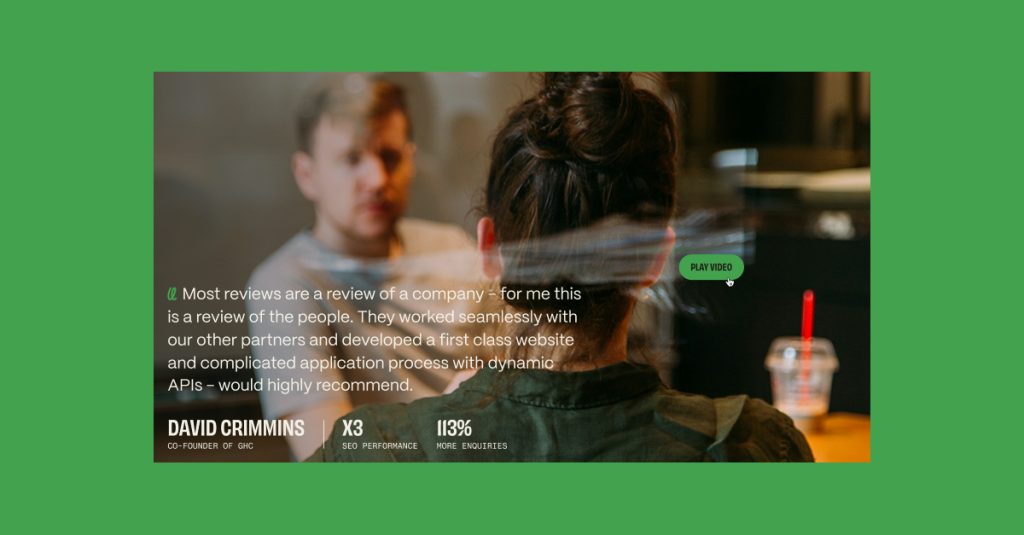
Generic testimonials lacking specificity don’t build trust. Effective testimonials include full names, photos, company affiliations, and specific results. Even better are detailed case studies that demonstrate your problem-solving capabilities.

Trust Badges and Certifications

Industry certifications, awards, and memberships signal competence and legitimacy. Display relevant trust badges prominently, but ensure they’re genuine, as fake badges destroy credibility faster than having no badges at all.

Client Logos and Partner Associations

Industry certifications, awards, and memberships signal competence and legitimacy. Display relevant trust badges prominently, but ensure they’re genuine, as fake badges destroy credibility faster than having no badges at all.

Content Quality: Demonstrating Experience, Expertise, Authority, and Trustworthiness (E-E-A-T)

Google’s own guidelines emphasise Experience, Expertise, Authoritativeness, and Trustworthiness (E-E-A-T) as critical factors in content evaluation. This framework applies equally to user perception, as high-quality content builds long-term trust.

Comprehensive, Original Content

Thin, generic content signals a lack of genuine expertise. Trust-building websites provide comprehensive, well-researched information that demonstrates deep knowledge. Original insights, specific examples, and detailed explanations separate credible sources from content farms.

Author Credentials and Transparency

Content should be attributed to real people with verifiable credentials. Author bios, photos, and links to professional profiles (LinkedIn, portfolio sites) enhance credibility. Transparency about who created the content and why they’re qualified to speak on the topic builds trust.

Regular Updates and Freshness

Outdated content suggests neglect. Display publication and update dates on articles, and actually maintain your content library. A website with recent blog posts, updated case studies, and current information signals active management and relevance.

Intuitive Navigation: Reducing Friction to Build Confidence

Confusing navigation creates frustration and erodes trust. Nielsen Norman Group research shows that users expect conventional navigation patterns, and deviating too far from established conventions reduces usability and perceived credibility.

Clear Information Architecture

Organise content logically with descriptive labels. Users should never wonder where to find information. Card sorting exercises and user testing help validate navigation structures before launch.

Breadcrumbs and Clear Pathways

Help users understand where they are in your site hierarchy. Breadcrumb navigation and clear page titles reduce disorientation. Every page should answer: Where am I? How did I get here? Where can I go next?

Search Functionality

For content-rich sites, robust search functionality is essential. Users who can’t find what they’re looking for quickly will leave. We implement custom search solutions that include filters, autocomplete, and relevant result ranking.

Mobile response web design

Mobile Responsiveness: Trust on Every Device

With mobile devices accounting for over 60% of web traffic, mobile responsiveness isn’t optional. Google’s mobile-first indexing means your mobile experience directly impacts search rankings, but more importantly, a poor mobile experience destroys trust instantly.

Touch-Friendly Interface Design

Mobile design requires consideration of touch targets, thumb-friendly navigation, and simplified interactions. Apple’s Human Interface Guidelines recommend minimum touch target sizes of 44×44 pixels, as smaller targets create frustration and signal poor mobile optimisation.

Responsive Typography and Spacing

Text that’s readable on desktop may be too small on mobile. We implement fluid typography that scales appropriately across devices while maintaining optimal line length for readability. Adequate spacing prevents accidental taps and improves quick content readability.

Accessible Contact Information: Signaling Availability and Accountability

Hiding contact information suggests something to hide. Trust-building websites make it easy to reach real people through multiple channels.

Multiple Contact Options

Provide phone numbers, email addresses, physical addresses, and contact forms. Users have different communication preferences, and offering options demonstrates flexibility towards your customers’ needs. Including a physical address (even if you’re remote) adds legitimacy.

Response Time Expectations

Set clear expectations for response times. If you’ll respond within 24 hours, say so. Meeting or exceeding stated response times builds trust, whereas missing them destroys it.

Live Chat and Immediate Support

When implemented well, live chat increases conversions by providing immediate assistance. However, poorly implemented chat (slow responses, unhelpful bots) reduces trust. Only offer live chat if you can manage it adequately.

Privacy, Policies, and Transparency

Transparency about business practices, data handling, and policies is increasingly important as privacy concerns grow. GDPR and similar regulations have made users more aware of data rights.

Clear Privacy Policies

Don’t hide your privacy policy in legal jargon. Explain in plain language what data you collect, why you collect it, and how you use it. Cookie consent banners should be informative, not just a legal checkbox.

About us web page

About Page with Real Information

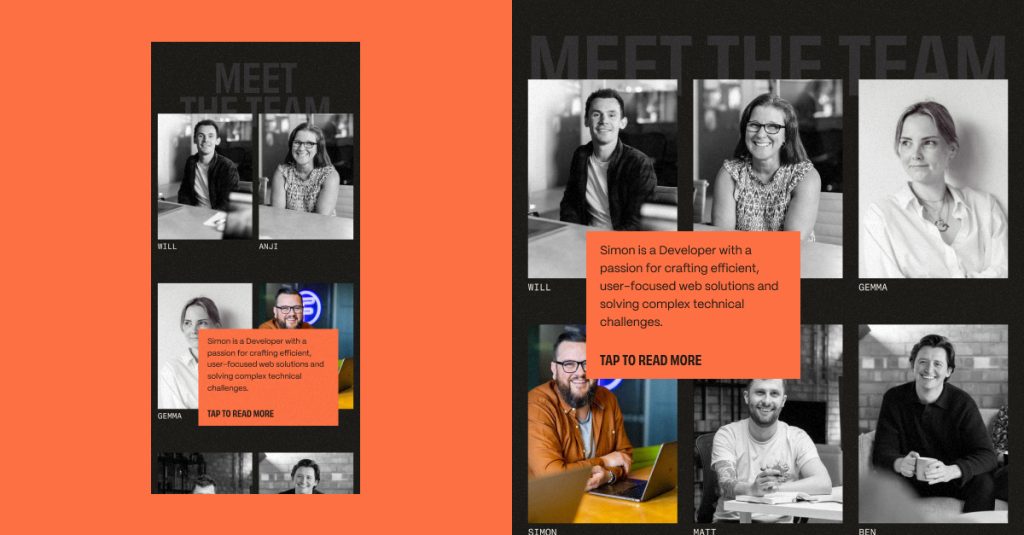
Your website’s about page should introduce real people with photos, backgrounds, and genuine information about your company’s mission and values. Stock photos of generic business people reduce credibility.

Our own team page showcases the developers and designers behind our WordPress projects, building personal connections with potential clients.

Technical Excellence: The Foundation of Digital Trust

While users may not consciously notice technical implementation quality, they definitely notice when it’s lacking. Broken links, 404 errors, slow forms, and browser compatibility issues all erode trust.

Cross-Browser Compatibility

Your website should function correctly across all major browsers and devices. We test on Chrome, Firefox, Safari, and Edge, plus iOS and Android mobile browsers, ensuring consistent experiences regardless of user platform.

Error Handling and Validation

Helpful error messages guide users toward solutions rather than leaving them frustrated. Form validation should provide clear, specific feedback. 404 pages should help users find what they’re looking for rather than being dead ends.

Quality Assurance Processes

Before any site launch, we conduct comprehensive testing, including functionality testing, performance benchmarking and accessibility audits. This thoroughness ensures a polished, trustworthy product from day one.

Trust as a Competitive Advantage

Building trust through website design isn’t a single tactic, it’s a comprehensive approach that touches every aspect of the digital experience. From the milliseconds it takes to load your homepage to the clarity of your privacy policy, every detail contributes to or detracts from credibility.

At our Yellow Peach, we’ve built our reputation on creating WordPress websites that don’t just meet technical specifications, they build lasting trust with users through thoughtful design, blazing performance, and inclusive accessibility.

Whether you’re launching a new website or redesigning an existing one, prioritising trust-building elements from the start creates a foundation for long-term success. The investment in professional design, technical excellence, and user-centered thinking pays dividends through increased conversions, stronger brand reputation, and sustainable growth.

Ready to Build a Website that People Can Trust?

If you’re ready to transform your online presence with a WordPress website built on trust, performance, and accessibility, we’re here to help. Our team specialises in creating custom solutions that balance aesthetic appeal with technical excellence.

Get in touch today to discuss your project and learn how our expertise in custom WordPress development, page speed optimisation, and accessibility can help you build instant trust with your audience.

Share this article

Ready to push your platform?

Ready to push your platform?

Ready to push your platform?

Ready to push your platform?

Ready to push your platform?

Ready to push your platform?

Ready to push your platform?

Ready to push your platform?

Ready to push your platform?

Ready to push your platform?

Ready to push your platform?

Ready to push your platform?

Ready to push your platform?

Ready to push your platform?

Ready to push your platform?

Ready to push your platform?

Ready to push your platform?

Ready to push your platform?

Ready to push your platform?

Ready to push your platform?

Ready to push your platform?

Ready to push your platform?

Ready to push your platform?

Ready to push your platform?

Ready to push your platform?

Ready to push your platform?

Ready to push your platform?

Ready to push your platform?

Ready to push your platform?

Ready to push your platform?

Ready to push your platform?

Ready to push your platform?