Got a project in mind?
We’d love to hear about it.

Get in touch
Yellow Peach web design agency

WordPress vs Webflow vs Framer: What’s Best for Your Business?

Yellow Peach
written by Matt

Guides

In this guide, we compare the pros and cons of no-code vs custom development in 2026, comparing Webflow, Framer and WordPress to choose the right scalable website for your business.

Choosing how to build a website in 2026 is no longer a simple technical decision. For most businesses, it has become a strategic one. Whether you are launching a new brand, redesigning an existing site, or moving away from an outdated platform, the question usually comes down to this: should you use a no-code website builder like Webflow or Framer, or invest in a custom WordPress website?

This is one of the most common conversations we have with clients looking for a new website or redesign. Many start by asking for the “easiest website builder”, but end up needing something more scalable, especially when they realise their website is not just a brochure, but part of their sales and marketing system.
Low-Code vs No-Code vs Custom Development: What’s the Difference?

The terms low-code and no-code are often used interchangeably, but they represent different approaches to building digital products. Alongside these sits a third option: custom development.

Each approach offers a different balance between speed, flexibility, cost, and long-term scalability.

What Is Low-Code Development?

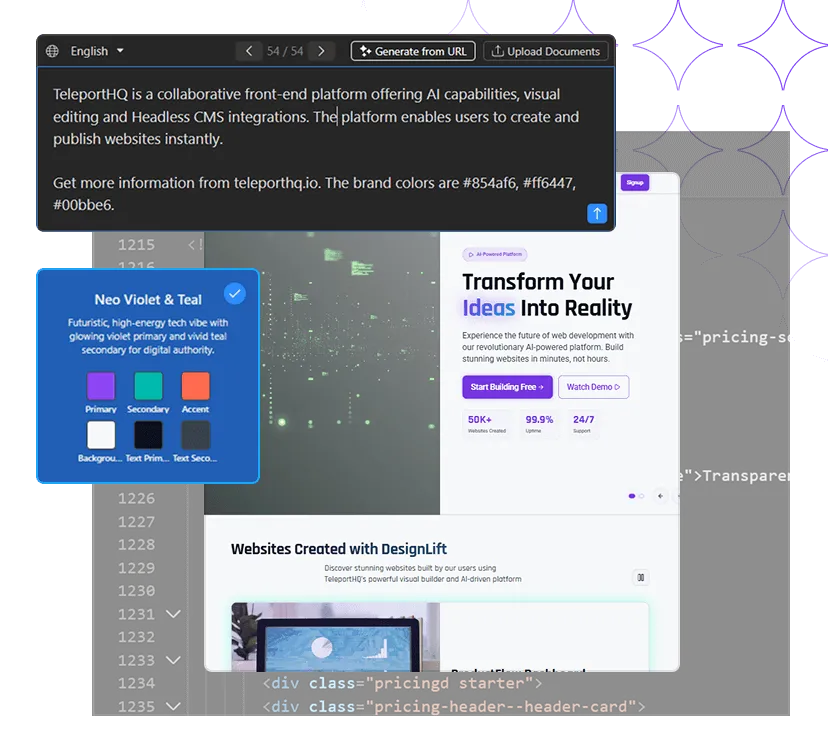
Low-code platforms combine visual builders with the ability to introduce custom code where needed. They aim to speed up development by providing pre-built functionality while still allowing developers to extend the platform beyond its default capabilities.

Examples of low-code platforms include Retool, Teleport,  and Microsoft Power Apps.

The main advantage of low-code development is that it can reduce development time while still allowing a degree of customisation and integration.

What Is No-Code Development?

No-code platforms are designed to allow websites and applications to be created entirely through visual interfaces, without writing code.

Platforms such as Webflow and Framer have helped popularise this approach, making it possible for designers and marketers to launch websites independently.

No-code tools can significantly reduce setup time and are often ideal for landing pages, campaign websites, and early-stage businesses. However, they can become more restrictive as requirements grow and more complex functionality is introduced.

What Is Custom Development?

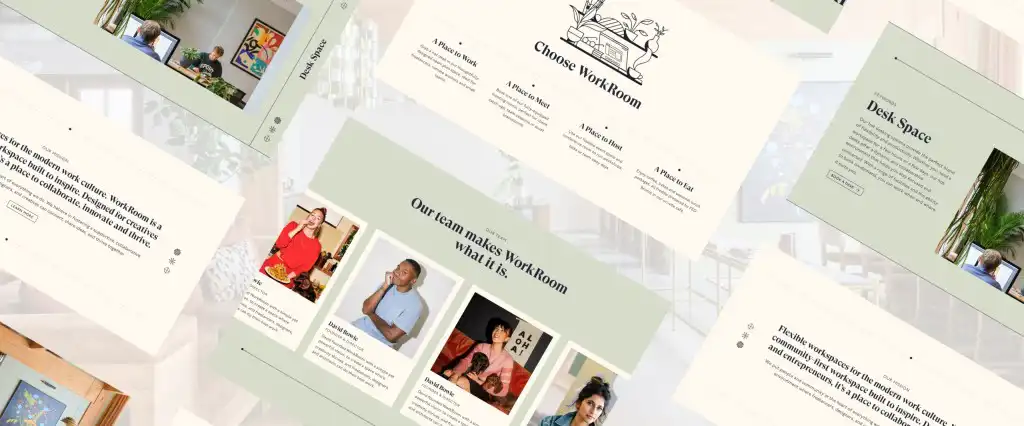
Figma design concepts

Custom development takes a different approach. Rather than working within the constraints of a platform, the website is designed and built around the specific requirements of the business.

This is typically how larger WordPress websites are developed. While WordPress provides the content management framework, the design, functionality, integrations, and content structure are developed specifically for the project.

At Yellow Peach, we build bespoke WordPress websites using custom themes and components rather than off-the-shelf templates. This allows us to create tailored user experiences, streamlined content management, and functionality designed around each client’s requirements.

The result is generally greater flexibility, stronger scalability, and more control over how the website evolves over time.

Why No-Code Website Builders Are Growing in Popularity

There is a lot of noise online suggesting that no-code tools are replacing traditional website development. The data tells a more balanced story.

Research from Forrester predicts that by 2028, the low-code market could approach $50 billion by 2028, based on a growth rate of 21% between 2019 and 2023. This shows rapid adoption, but not replacement of traditional development, more of a shift in how early-stage websites and tools are created.

At the same time, WordPress remains the most widely used website platform in the world, powering over 40% of all websites globally.

That combination is important. It shows that while website builders are growing quickly, the majority of business websites are still built on WordPress or custom systems because they offer more control over time.

WordPress vs Webflow vs Framer: Which Website Builder Is Best?

Teleport low code website

If you are researching the best platform for a business website, you are most likely comparing WordPress, Webflow, and Framer. They all let you build websites, but they are designed for very different needs.

Here is a simplified breakdown based on real-world use in business websites, marketing sites, and growing companies:


WordPress Webflow Framer
Best For Business websites that need to scale Modern marketing websites Simple landing pages
Ease of Use Depends on set-up High Very high
Design Flexibility Very high High High
Content Management Excellent for both pages and blogs Good for structured content Basic
SEO Control Very strong with the proper set-up Good Limited
E-Commerce Strong with WooCommerce Basic to moderate Limited
Scalablity Excellent Moderate Low to Moderate
Ownership Full Ownership Platform-based Platform-based


This is where the decision becomes more practical than technical. If you want the simplest way to launch a marketing website, Webflow or Framer can work well, but if you want a website that grows with your business, WordPress is usually the stronger long-term option.

Why WordPress Is Still the Most Popular Choice for Business Websites

Despite the rise of website builders, WordPress is still the most common choice for business websites globally, and the main reason is flexibility.

Unlike closed platforms, WordPress allows full ownership of your website. You are not locked into one provider, and you can change hosting, design, functionality, or even rebuild parts of the system without starting from scratch.

It also scales well. A simple brochure website can grow into:

  • A lead generation system
  • A content-driven SEO platform
  • A full e-commerce store using WooCommerce
  • Or a hybrid system connected to other tools via APIs

This is why many businesses choose structured WordPress builds rather than page-builder templates. At Yellow Peach, we often build modular Gutenberg-based websites so clients can update content easily without breaking the design system.

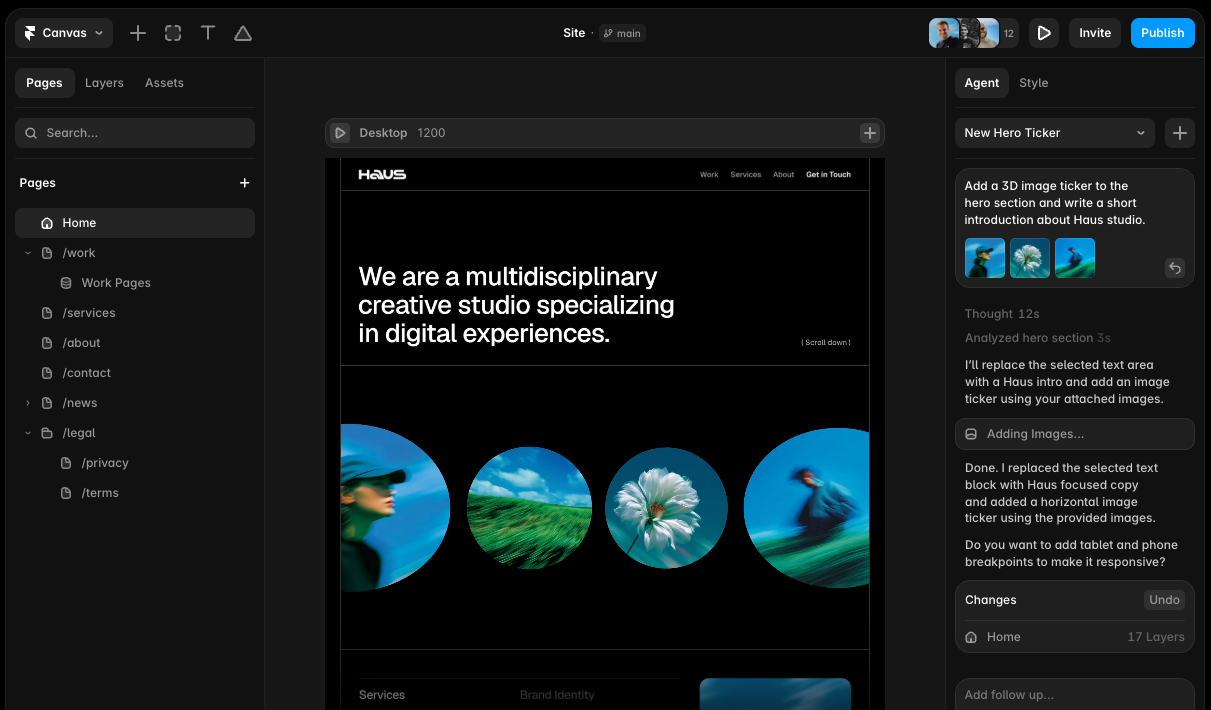
Webflow: The Popular Choice for Modern Marketing Websites

Webflow has become one of the most popular tools for marketing websites, especially in design-led industries and startups.

Its main appeal is speed. You can design and publish a professional website without needing a developer, and hosting is included.

However, it is best suited to simpler websites where content structure does not change too often. Once you need more complex functionality, such as advanced filtering, user accounts, or integrations with other systems, limitations start to appear.

Webflow is often chosen for:

  • Marketing websites
  • Portfolio sites
  • Campaign landing pages
  • Early-stage startup websites

It is less suitable for long-term business systems where the website becomes part of your operations.

Framer: The Fastest Way to Launch a Website

Framer low code

Framer is the newest of the three and is growing quickly because of how fast it allows you to go from idea to live website.

It is especially popular with founders and design teams because it focuses heavily on visual design and speed. You can create modern, animated websites very quickly, often with AI-assisted layouts.

However, Framer is still best for simple websites. It is not yet widely used for complex business systems or content-heavy websites.

In short, it is ideal if you need:

  • A fast landing page
  • A startup launch site
  • A simple marketing site with strong visuals

But not ideal if your website needs to scale significantly over time.

The Hidden Cost of “Easy” Website Builders

One of the most important things to understand when choosing a website platform is that “easy to build” does not always mean “easy to grow”.

No-code tools often reduce setup time, but introduce long-term constraints such as:

  • Limited control over SEO structure
  • Restrictions on complex functionality
  • Platform dependency (you cannot easily move your site)
  • Ongoing subscription costs that increase with usage

This is why many businesses eventually move away from no-code platforms once they reach a certain size.

We often see this when supporting WordPress migrations, where businesses need more flexibility than their original website builder can provide.

When You Need More Than a Website Builder

For some businesses, a website is not just a marketing tool. It is part of a wider system.

This is where custom development becomes important. Instead of working within the limits of a platform, you build a system around your business needs.

This might include:

  • Customer portals
  • Booking systems
  • Internal dashboards
  • API integrations with other tools

These types of builds often sit outside traditional website builders entirely and move into custom platforms or web applications, such as those we build through our web application development services.

So, What is the Best Website Platform for Your Business?

The honest answer is that there is no single “best” platform. There is only the right fit for where your business is right now.

If you need a quick, simple website, Webflow or Framer can be a great starting point. If you want long-term flexibility and growth, WordPress is usually the safest choice

What matters most is not the platform itself, but whether it will still work for you in two or three years when your business has evolved.That is where most website decisions go wrong, not at launch, but after growth begins.

Thinking about getting started with WordPress?

Whether you’re starting from scratch, outgrowing your current platform, or considering a migration to WordPress, we can help you build a new website that’s designed for long-term performance, SEO, and growth.

Share this article

Ready to push your platform?

Ready to push your platform?

Ready to push your platform?

Ready to push your platform?

Ready to push your platform?

Ready to push your platform?

Ready to push your platform?

Ready to push your platform?

Ready to push your platform?

Ready to push your platform?

Ready to push your platform?

Ready to push your platform?

Ready to push your platform?

Ready to push your platform?

Ready to push your platform?

Ready to push your platform?

Ready to push your platform?

Ready to push your platform?

Ready to push your platform?

Ready to push your platform?

Ready to push your platform?

Ready to push your platform?

Ready to push your platform?

Ready to push your platform?

Ready to push your platform?

Ready to push your platform?

Ready to push your platform?

Ready to push your platform?

Ready to push your platform?

Ready to push your platform?

Ready to push your platform?

Ready to push your platform?