Got a project in mind?
We’d love to hear about it.

Get in touch
Yellow Peach web design agency

There are over 60,000 plugins available in the WordPress Plugin Directory; it's easy to assume there's a plugin for every problem. And there probably is.

But while the sheer range and volume of plugins available is one of WordPress’s greatest strengths, it’s also one of its biggest challenges. Not every plugin is worth installing.

After building, maintaining and optimising WordPress websites for businesses and organisations of all sizes for over a decade, we’ve learnt that being discerning about plugin choice is much more important than selecting lots of them.

In the guide below, we share the plugins that we genuinely use and would not hesitate to recommend. Some we install on every single project. Others are more specialised and rolled out on a case-by-case basis. And a few are newer additions that we think will shape the future of the WordPress platform.

Just as importantly, we’ll explain where we think plugins aren’t the answer at all.

At a glance

  • Having fewer, well-maintained plugins is always better than a bloated plugin stack
  • Favour plugins with strong development teams, regular updates and excellent support
  • Always choose bespoke development over installing unnecessary plugins
  • There isn’t one “best” plugin; different websites have different requirements
  • These are our recommendations based on real-world experience

How we chose these plugins

There are plenty of “best WordPress plugins” articles online. Many are simply lists of the most popular plugins. Some are just there to earn an affiliate commission. This guide is neither of those things.

Every plugin we’ve included is one we’ve either used ourselves, regularly recommend to clients or have extensive experience working with.

When deciding whether a plugin deserves a place on this list, we generally look at:

  • Active development and regular updates
  • Long-term reputation within the WordPress community
  • Performance impact
  • Quality of documentation and support
  • Security track record
  • Flexibility and extensibility
  • Whether we’d be happy installing it on a client’s website

Of course, many of the best plugins are popular too (for obvious reasons). That said, some of our favourite plugins have relatively modest install numbers compared to household names, yet consistently outperform larger competitors.

Yoast SEO plugin

WordPress SEO plugins

SEO plugins have evolved significantly over the past few years.

Today’s leading plugins handle much more than simply editing page titles and meta descriptions. XML sitemaps, schema markup, social sharing, redirects and robots management are now considered standard features.

Two plugins dominate the market today.

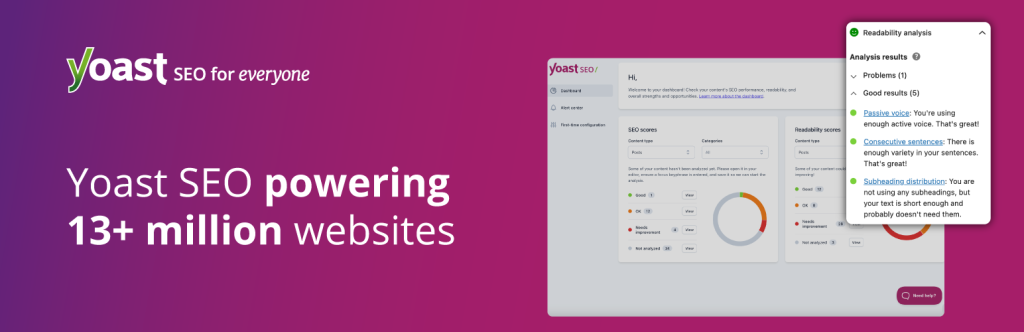
Yoast SEO

Category SEO
Developer Yoast
Rating 4.8/5 (27814 reviews)
Pricing free tier, premium from £118.80 per year (excl. VAT)
Active Installs 10+ million
WordPress Compatibility 6.8 or higher
PHP Compatibility 7.4 or higher

Despite increasing competition – though it remains the most popular SEO plugin for WordPress – Yoast SEO is our preferred SEO plugin on most WordPress projects.

We’ve worked with Yoast for years and continue to value its maturity, flexibility and reliability. Its interface is familiar to most content editors, it’s well supported, and it integrates cleanly with a wide range of WordPress websites.

For most businesses, it provides everything needed to manage:

  • Page titles and meta descriptions
  • XML sitemaps
  • Canonical URLs
  • Open Graph metadata
  • Basic schema markup
  • Robots directives

Rank Math

Category SEO
Developer Rank Math
Rating 4.8/5 (7466 reviews)
Pricing free tier, premium from €7.99 per month (excl. VAT)
Active Installs 4+ million
WordPress Compatibility 6.7 or higher
PHP Compatibility 7.4 or higher

If one plugin has challenged Yoast’s position over the last few years, it’s Rank Math. We’re seeing more and more clients adopting it, largely because its free version includes features that traditionally required premium upgrades elsewhere.

Its schema options, redirect management, and modular approach make it particularly attractive for advanced users.

While we still lean towards Yoast for most bespoke projects, we wouldn’t be surprised if Rank Math eventually becomes the most widely used SEO plugin in the WordPress ecosystem.

Wordfence Security Plugin

WordPress security plugins

Don’t let anyone tell you otherwise; WordPress is a secure platform.

Security issues aren’t 100% avoidable on any website, no matter the platform used. But most arise because websites aren’t maintained, use outdated plugins or have weak authentication practices.

Good security is layered, which is why we often combine several approaches rather than relying on a single plugin.

Wordfence

Category Security
Developer Wordfence
Rating 4.7/5 (4953 reviews)
Pricing free tier, premium $149 per year
Active Installs 5+ million
WordPress Compatibility 4.7 or higher
PHP Compatibility 7.0 or higher

If we could only recommend one WordPress security plugin, Wordfence would be it. The free version alone is excellent and more than sufficient for many websites.

Premium plans provide faster access to firewall rule updates and malware signatures, making them particularly worthwhile for higher-risk or business-critical websites.

Its features include:

  • Web Application Firewall (WAF)
  • Malware scanning
  • Brute-force protection
  • Login security
  • File integrity monitoring
  • Security alerts

Kadence Security

Category Security
Developer Kadence
Rating 4.6/5 (3987 reviews)
Pricing free tier, premium $149 per year
Active Installs 700000+
WordPress Compatibility 6.5 or higher
PHP Compatibility 7.4 or higher

Alongside Wordfence, we’ve also been using Kadence Security on a growing number of projects. Rather than replacing Wordfence, it focuses on strengthening how users access and manage WordPress.

Features include:

  • Two-factor authentication (2FA)
  • Login security
  • User access controls
  • Hidden login URLs
  • Application hardening
  • Security policy management

Many successful attacks don’t exploit WordPress itself; they target weak passwords or login pages. Strengthening authentication is one of the simplest ways to improve website security, making features such as 2FA and login hardening particularly valuable.

WP Activity Log

Category Security
Developer Melapress
Rating 4.7/5 (481 reviews)
Pricing free tier, premium from £139 per year
Active Installs 300000+
WordPress Compatibility 5.5 or higher
PHP Compatibility 7.4 or higher

This is one of those plugins that rarely appears in “best plugin” lists but proves invaluable on client websites. WP Activity Log creates a detailed audit trail showing who changed what and when. It’s particularly useful for:

  • Multi-user websites
  • Publishers
  • Membership websites
  • eCommerce stores
  • Troubleshooting unexpected changes

When multiple people manage a website, having a clear activity history can save hours of investigation.

WP Rocket

WordPress performance optimisation plugins

Performance optimisation and caching are often lumped together, but they’re actually different things. Performance optimisation focuses on reducing the amount of work a browser has to do. Caching focuses on reducing the amount of work the server has to do.

Understanding the difference helps you choose the right tools for your website.

WP Rocket

Category Performance optimisation
Developer WP Rocket
Rating NA
Pricing from €49 per year
Active Installs 5.5+ million
WordPress Compatibility 5.8 or higher
PHP Compatibility 7.3 or higher

WP Rocket has earned its reputation as one of the best all-around WordPress performance plugins. It combines several optimisation features into a relatively straightforward interface, including:

  • Page caching
  • File optimisation
  • Lazy loading
  • Database cleanup
  • JavaScript delay
  • CSS optimisation
  • Preloading

It’s one of the easiest premium plugins to recommend because it consistently delivers good results without requiring advanced technical knowledge.

FlyingPress

Category Performance optimisation
Developer FlyingPress
Rating NA
Pricing free trial, starter from $59 per year
Active Installs 11000+
WordPress Compatibility 4.7 or higher
PHP Compatibility 7.4 or higher

FlyingPress has become one of our favourite performance plugins over recent years. It places a strong emphasis on Google’s Core Web Vitals and includes many advanced optimisation features out of the box.

Highlights include:

  • Critical CSS generation
  • JavaScript optimisation
  • Font optimisation
  • Image lazy loading
  • Advanced preloading
  • Performance-focused defaults

It’s an excellent alternative to WP Rocket and one that’s gained a strong following among performance aficionados.

W3 Total Cache plugin

WordPress caching plugins

Though technically optimising performance, caching deserves its own section; not every website benefits from the same approach. Choosing the wrong caching strategy can sometimes cause more problems than it solves.

Full-page caching

This stores complete HTML pages so they can be served almost instantly. It’s ideal for:

  • Brochure websites
  • Marketing websites
  • Blogs
  • News websites

However, it’s often unsuitable for highly dynamic websites where every visitor sees different content. Examples include:

  • eCommerce websites
  • Membership platforms
  • Logged-in user areas
  • Customer dashboards

These sites typically require more intelligent caching strategies.

Object caching

Object caching stores the results of database queries, reducing the amount of repeated work WordPress has to perform. This makes it particularly effective for:

  • WooCommerce
  • Membership websites
  • Large publishing platforms
  • Query-heavy websites

Technologies such as Redis are commonly used to provide object caching at the server level.

Popular WordPress caching plugins

Depending on the hosting environment, we also regularly come across:

  • W3 Total Cache
  • WP Fastest Cache
  • Breeze

Each has its strengths, and the right choice often depends more on the hosting platform than the website itself. For many of our managed hosting clients, we don’t rely on caching plugins at all.

Instead, caching is handled at the server or infrastructure level as part of our hosting platform, giving us greater control while avoiding unnecessary plugin overhead.

EWWW Image Optimisation plugin

WordPress image optimisation plugins

We’ve already covered why image optimisation is so important in our guide to How to Optimise Images for Web Performance, so we won’t repeat everything here. Instead, here’s the plugin we rely on most often.

EWWW Image Optimizer

Category Performance optimisation
Developer EWWW
Rating 4.8/5 (1836 reviews)
Pricing free tier, starts from $80 per year
Active Installs 1+ million
WordPress Compatibility 6.7 or higher
PHP Compatibility 7.4 or higher

Images are one of the biggest contributors to slow websites and poor Core Web Vitals. EWWW Image Optimizer helps automate much of the optimisation process by:

  • Compressing images without noticeable quality loss
  • Automatically generating WebP versions
  • Supporting AVIF conversion
  • Removing unnecessary metadata
  • Integrating with CDNs
  • Bulk optimising existing media libraries

For content-heavy websites, particularly publishers with thousands of images, automating these tasks can save an enormous amount of time while improving loading performance across the site.

Updraft backup plugin

Backup plugins

Backups are one of those things you rarely think about until you suddenly need one. Whether it’s a failed update, accidental deletion or server issue, having a reliable backup strategy can mean the difference between a quick recovery and significant downtime.

UpdraftPlus

Category Performance optimisation
Developer TeamUpdraft
Rating 4.8/5 (8573 reviews)
Pricing free tier, starts from £66 per year (incl. VAT)
Active Installs 3+ million
WordPress Compatibility 3.2 or higher
PHP Compatibility NA

UpdraftPlus remains one of the most popular backup plugins for good reason. It allows you to:

  • Schedule automatic backups
  • Restore websites quickly
  • Store backups remotely
  • Backup databases and files separately
  • Integrate with services such as Google Drive, Dropbox and Amazon S3

There is a paid version, but for many website owners, the free version is more than sufficient.

Plugins aren’t the only backup solution

While UpdraftPlus is an excellent plugin, we don’t typically rely solely on WordPress plugins for client backups.

As part of our managed hosting platform, websites are backed up automatically every day and replicated to two independent off-site storage providers as part of our disaster recovery process.

That approach removes the dependency on a plugin while providing additional resilience should the worst happen.

Gravity forms plugin

WordPress forms plugins

Forms are one of the most common requirements on any website.

Whether it’s a simple contact form or a complex application process, choosing the right plugin depends on the level of functionality required.

Gravity Forms

gravityforms.com

Category Forms
Developer Gravity Forms
Rating NA
Pricing starts from $59 per year
Active Installs 5+ million
WordPress Compatibility 3.2 or higher
PHP Compatibility 7.4 or higher

Gravity Forms remains our preferred forms plugin.

It’s incredibly flexible and has become something of an industry standard for bespoke WordPress development.

Features include:

  • Multi-page forms
  • Conditional logic
  • File uploads
  • Payment integrations
  • User registrations
  • Extensive API support
  • Hundreds of third-party integrations

For anything beyond a simple contact form, it’s usually our first recommendation.

wpforms

Category Forms
Developer wpforms
Rating 4.8/5 (14356 reviews)
Pricing free tier (wpforms lite), starts from $99 per year
Active Installs 5+ million
WordPress Compatibility 5.5 or higher
PHP Compatibility 7.2 or higher

WPForms provides a simpler alternative to Gravity Forms. Its drag-and-drop interface makes it particularly accessible for smaller businesses looking to build straightforward forms without additional complexity.

It’s an excellent choice when requirements are relatively simple.

Advanced Custom Fields

WordPress development plugins

Some of the most valuable plugins are never seen by website visitors. They’re the tools that help developers build, maintain and troubleshoot WordPress websites more efficiently.

Advanced Custom Fields (ACF Pro)

Category Development
Developer ACF
Rating 4.5/5 (1437 reviews)
Pricing starts from $49 per year
Active Installs 2+ million
WordPress Compatibility 6.2 or higher
PHP Compatibility 7.4 or higher

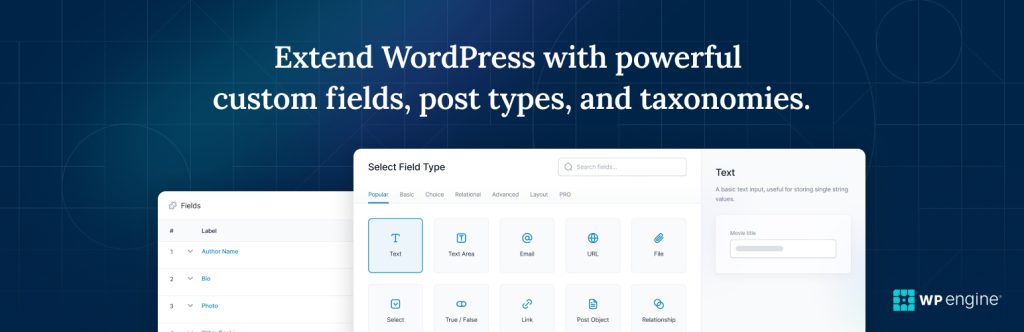
If there’s one plugin that’s become synonymous with bespoke WordPress development, it’s Advanced Custom Fields. We use ACF extensively across our custom WordPress projects because it provides an elegant way of extending WordPress without changing the editing experience clients already know.

It allows developers to create structured content using fields such as:

  • Text
  • Images
  • Galleries
  • Repeaters
  • Flexible content
  • Relationships
  • Maps
  • Select fields

Combined with bespoke Gutenberg blocks and custom templates, ACF helps us create editing experiences that are tailored specifically to each client’s website.

WP Mail SMTP

Category Development
Developer wpforms
Rating 4.8/5 (5155 reviews)
Pricing free tier, starts from $99 per year
Active Installs 4+ million
WordPress Compatibility 5.5 or higher
PHP Compatibility 7.4 or higher

Sending email directly from WordPress using PHP mail is increasingly unreliable. Many email providers simply won’t trust messages sent that way. WP Mail SMTP solves this by connecting WordPress to dedicated email providers such as:

  • Mailgun
  • Microsoft 365
  • Google Workspace
  • Amazon SES
  • SendGrid
  • SMTP servers

User Role Editor

Category Development
Developer User Role Editor
Rating 4.5/5 (287 reviews)
Pricing free tier, starts from $29 per year
Active Installs 700000+
WordPress Compatibility 4.4 or higher
PHP Compatibility 7.3 or higher

As websites grow, so does the number of people managing them. Editors, authors, contributors, marketers and administrators rarely all need the same permissions.

User Role Editor makes it easy to:

  • Create custom user roles
  • Restrict permissions
  • Manage editorial workflows
  • Control access to plugins and settings

It’s particularly valuable on publishing websites and organisations with large editorial teams.

Query Monitor

Category Development
Developer Query Monitor
Rating 4.9/5 (468 reviews)
Pricing free and open source
Active Installs 200000+
WordPress Compatibility 6.2 or higher
PHP Compatibility 7.4 or higher

This is one of our favourite developer tools. Visitors never see it, but developers use it constantly. Query Monitor provides detailed insights into:

  • Slow database queries
  • PHP errors
  • REST API requests
  • AJAX requests
  • Hooks and actions
  • HTTP requests
  • Performance bottlenecks

When we’re investigating a slow WordPress website, Query Monitor is often one of the very first tools we open because it quickly highlights where WordPress is spending its time.

Redirection plugin

WordPress redirection plugins

Redirection

Category Redirection
Developer Redirection
Rating 4.4/5 (701 reviews)
Pricing free
Active Installs 2+ million
WordPress Compatibility 6.6 or higher
PHP Compatibility 7.4 or higher

Every WordPress website should have a reliable way of managing redirects. The Redirection plugin provides a simple interface for creating and managing:

  • 301 redirects
  • 302 redirects
  • Redirect groups
  • Redirect logging

While it’s useful for day-to-day website management, it becomes particularly important during website migrations.

Changing URLs without implementing proper redirects can result in broken links, lost search rankings and a poor user experience. Giving both developers and clients an accessible way of managing redirects makes ongoing website maintenance considerably easier.

WordPress accessibility plugins

WP Accessibility

Category Accessibility
Developer Joe Dolson
Rating 4.8/5 (68 reviews)
Pricing free
Active Installs 60000+
WordPress Compatibility 5.9 or higher
PHP Compatibility 7.4 or higher

WP Accessibility isn’t designed to make an inaccessible website compliant on its own. Instead, it provides a collection of useful enhancements that can help improve accessibility.

Features include:

  • Skip links
  • Language and text direction improvements
  • Accessibility toolbar options
  • Form enhancements
  • Utility fixes

It’s a useful supporting plugin, but accessibility should always begin with good design, semantic HTML and proper development practices rather than relying on plugins alone.

If you’d like to understand more about this topic, we’ve covered it in our guide to creating a WCAG-compliant WordPress website.

WordPress AI plugins

Artificial Intelligence is beginning to change the way WordPress websites are built and managed. Rather than simply generating content, many of the latest AI tools focus on improving workflows and connecting WordPress with external systems.

WordPress MCP Adapter

Category AI
Developer NA
Rating NA
Pricing free
Active Installs Unclear
WordPress Compatibility 6.9 or higher
PHP Compatibility 7.4 or higher

One of the most interesting recent developments is the official WordPress MCP Adapter.

It allows AI assistants and third-party tools that support the Model Context Protocol (MCP) to interact with WordPress in a secure, structured way.

Potential use cases include:

  • Managing content through AI assistants
  • Automating editorial workflows
  • Integrating WordPress with external AI tools
  • Building bespoke AI-powered processes

While still relatively new, we think this is an exciting glimpse into how AI will integrate with WordPress over the coming years.

AI Engine

Category AI
Developer Meow Apps
Rating 4./5 (845 reviews)
Pricing free, starting from $79 per year
Active Installs 100000+
WordPress Compatibility 6.0 or higher
PHP Compatibility 7.4 or higher

AI Engine goes well beyond simple content generation. It provides tools for:

  • AI chatbots
  • Content assistance
  • AI-powered workflows
  • API integrations
  • Custom assistants

As businesses begin experimenting with AI, it’s one of the more mature plugins currently available and one we’ll be watching closely as the ecosystem develops.

Elementor page builder

A word of caution about page builders

This is probably our most opinionated recommendation in the entire article.

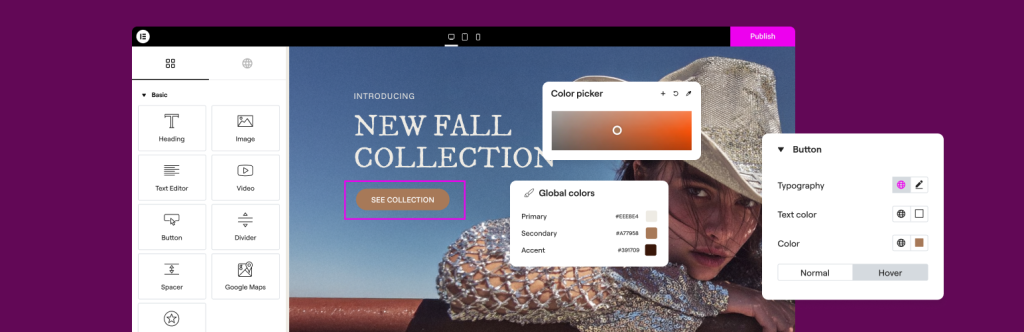
At Yellow Peach, we don’t build bespoke client websites using page builders such as Elementor, Divi or WPBakery. They’re inherently bad products; they’ve made WordPress more accessible and have enabled millions of people to build websites without writing code.

However, they don’t align with the way we approach bespoke WordPress development.

Page builders are designed to cater for almost every possible layout and use case. As a result, they often introduce additional HTML, CSS and JavaScript that simply isn’t needed for an individual website. Over time, this can impact:

  • Core Web Vitals and loading performance
  • Long-term maintainability
  • Consistency across the website
  • Development flexibility
  • The ease of introducing new functionality

Instead, every website we build is based on a bespoke WordPress theme that’s designed and developed specifically for that client.

Using native WordPress tools like Gutenberg blocks allows us to create editing experiences that are tailored to each website, rather than asking clients to build pages from dozens of generic widgets. The result is a website that’s typically:

  • Faster
  • Easier to maintain
  • More consistent
  • Simpler for content editors
  • Better positioned to grow over time

That’s not to say page builders never have a place. For smaller brochure websites, prototypes or projects with very limited budgets, they can be a perfectly sensible solution.

But for the bespoke WordPress websites we specialise in, we believe a custom-built theme delivers a better outcome for both our clients and their users.

WordPress plugins to avoid

One of WordPress’s greatest strengths is its plugin ecosystem. It’s also one of the easiest ways to introduce unnecessary complexity. Rather than naming and shaming individual plugins, there are a few categories we’re generally cautious about.

Plugins that do everything

Many plugins promise SEO, performance, security, backups, analytics and marketing automation all in one package. In reality, they often do each task less effectively than dedicated solutions. Smaller, focused plugins are usually easier to maintain and troubleshoot.

Plugins that duplicate WordPress core

WordPress continues to evolve with every major release. Features that once required plugins are increasingly becoming part of core WordPress.

Before installing another plugin, ask yourself whether WordPress already provides the functionality you need. Reducing unnecessary dependencies almost always makes a website easier to maintain.

Abandoned plugins

A plugin that hasn’t been updated for several years should immediately raise questions. Regular updates indicate that developers are actively maintaining compatibility, fixing bugs and addressing security vulnerabilities.

Whenever you’re evaluating a plugin, it’s worth checking:

  • When it was last updated
  • Whether it’s compatible with the latest version of WordPress
  • How responsive the developer is to support requests
  • How many active installations it has

Popularity alone shouldn’t determine your decision, but active maintenance certainly should.

Accessibility overlay plugins

Accessibility overlays continue to be marketed as a quick way to achieve WCAG compliance. In reality, they’re not a substitute for building an accessible website properly.

While some can provide useful tools for visitors, they rarely address the underlying accessibility issues and can sometimes introduce new problems for users relying on assistive technology.

If accessibility is important to your organisation – and it should be – it’s far better to invest in accessible design and development from the outset.

We’ve explored this topic in much more detail in our guide to creating a WCAG-compliant WordPress website.

Our recommended WordPress plugin stack

If we were building a typical bespoke marketing website today, our starting point would probably look something like this.

Category Our recommendation
SEO Yoast SEO
Security Wordfence
Performance FlyingPress
Caching Hosting-specific solution where possible
Images EWWW Image Optimizer
Forms Gravity Forms
Backups Hosting-specific solution where possible
Custom development Advanced Custom Fields Pro
Email WP Mail SMTP
Redirects Redirection
User permissions User Role Editor
Development Query Monitor
AI WordPress MCP Adapter

No two websites are identical, so this isn’t a fixed checklist. Instead, it’s the collection of plugins we find ourselves returning to most often across a wide range of WordPress projects.

The best plugin is often no plugin

It might seem strange to finish an article about plugins by suggesting you install fewer of them, but it’s genuinely one of the biggest lessons we’ve learnt.

Every plugin adds another dependency.

Another update.

Another potential compatibility issue.

Another security consideration.

That’s not a reason to avoid plugins altogether.

The WordPress ecosystem is one of the platform’s greatest strengths, and many of the plugins in this article save enormous amounts of development time while adding valuable functionality.

The key is being selective. Choose plugins that are actively maintained, well supported and genuinely solve a problem.

And remember that sometimes the best long-term solution isn’t another plugin at all—it’s thoughtful, bespoke development that’s built specifically around your website and your business.

That’s ultimately the approach we take at Yellow Peach. Plugins are powerful tools, but they’re just one part of building fast, secure and scalable WordPress websites.

FAQs

  • How many plugins should a WordPress website have?

    There isn’t a magic number.

    We’ve seen websites with 15 plugins outperform websites running only five, simply because those plugins were better written and more appropriate for the project.

    Focus on quality, not quantity.

Looking for an answer that’s not here?

Get in touch

Ready to push your platform?

Ready to push your platform?

Ready to push your platform?

Ready to push your platform?

Ready to push your platform?

Ready to push your platform?

Ready to push your platform?

Ready to push your platform?

Ready to push your platform?

Ready to push your platform?

Ready to push your platform?

Ready to push your platform?

Ready to push your platform?

Ready to push your platform?

Ready to push your platform?

Ready to push your platform?

Ready to push your platform?

Ready to push your platform?

Ready to push your platform?

Ready to push your platform?

Ready to push your platform?

Ready to push your platform?

Ready to push your platform?

Ready to push your platform?

Ready to push your platform?

Ready to push your platform?

Ready to push your platform?

Ready to push your platform?

Ready to push your platform?

Ready to push your platform?

Ready to push your platform?

Ready to push your platform?