Got a project in mind?
We’d love to hear about it.

Get in touch
Yellow Peach web design agency

Black Friday can be one of the busiest trading periods of the year for eCommerce businesses, with increased marketing activity, promotional campaigns and customers looking to take advantage of limited-time offers.

While much of the preparation naturally focuses on products, pricing and promotions, it’s equally important to consider whether your website and its underlying infrastructure are ready for the additional demand.

A website that performs perfectly well under normal conditions can quickly encounter problems when traffic increases. Slow page loads, database bottlenecks, failed payments and unexpected downtime can all have a direct impact on sales, particularly when customers have plenty of alternative retailers to choose from.

We’ve seen first-hand how unexpected traffic patterns, inefficient database queries and automated crawlers can put significant strain on websites. These issues aren’t necessarily obvious during everyday use, which is why preparing for a busy trading period requires looking beyond how quickly your homepage loads.

In this guide, we’ll explore some of the technical considerations worth reviewing before Black Friday, from hosting infrastructure and caching through to security, testing and ongoing monitoring. Although we’re focusing on Black Friday, much of this advice is equally relevant to product launches, seasonal campaigns and any other period when your website might experience increased demand.

locust

Understanding whether your website can handle increased traffic

The first thing to establish is how much additional traffic your existing infrastructure can realistically accommodate. This isn’t always straightforward, as the number of visitors a website can support depends heavily on how it’s built, the resources available and what those visitors are doing.

For example, a relatively simple website serving cached content might comfortably handle thousands of simultaneous visitors, while an eCommerce platform performing database queries, calculating delivery costs and managing customer sessions could encounter performance issues at considerably lower volumes.

It’s worth reviewing your current hosting environment to understand how resources are being used during normal operation. CPU and memory utilisation are obvious starting points, but depending on your technology stack, you should also consider PHP worker availability, database connections, disk I/O and application response times. If your infrastructure is already operating close to its limits, increased traffic could quickly expose those constraints.

For PHP-based applications, the number of available PHP-FPM workers can be particularly important. Each worker handles a request at a time, so when all available workers are occupied, additional requests may need to wait. Increasing the worker count can improve concurrency, but only if sufficient memory and processing capacity are available. Otherwise, you risk introducing a different bottleneck.

Load testing before Black Friday

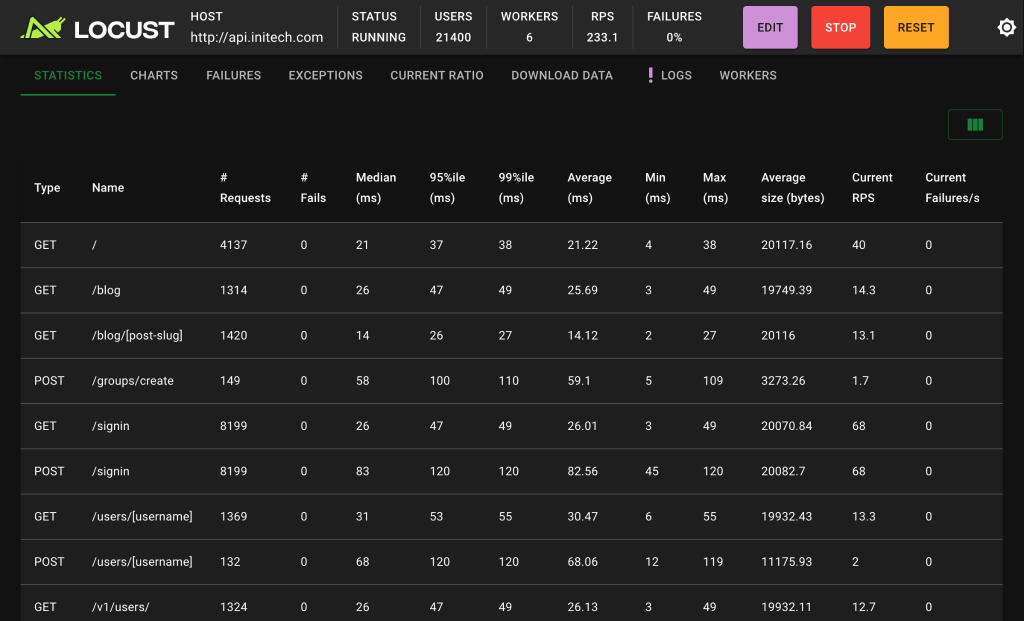
One of the most useful things you can do is run load tests that simulate the sort of traffic you expect during your busiest periods. Tools such as k6, Apache JMeter and Locust allow you to generate concurrent requests and observe how your application behaves as demand increases.

Ideally, these tests should represent realistic customer behaviour rather than simply requesting the homepage thousands of times. Browsing product categories, searching for products, adding items to baskets and progressing through checkout can all place very different demands on your infrastructure.

It’s also important to monitor what happens behind the scenes during testing. A website might continue returning successful responses while database query times increase, PHP workers become saturated or application response times deteriorate. Testing should take place in a controlled environment, with appropriate safeguards to avoid creating genuine orders, triggering payment transactions or overwhelming third-party services.

The results can help determine whether you need additional hosting capacity, application optimisation or changes to how requests are processed. In many cases, addressing inefficient code or database queries will provide more sustainable improvements than simply moving to a larger server.

Cloudflare

Making better use of caching and Cloudflare

Caching is one of the most effective ways to reduce the amount of work your server needs to perform, particularly when large numbers of visitors are requesting the same content.

Without an effective caching strategy, your application might repeatedly execute PHP code, query the database and generate HTML for pages that haven’t meaningfully changed between requests. During periods of increased traffic, that unnecessary processing can consume a significant amount of server capacity.

Full-page caching allows a previously generated HTML response to be served without executing the application again. This can work particularly well for public-facing content such as promotional landing pages, blog articles and certain product or category pages. However, the suitability of full-page caching depends on how your website handles customer sessions, pricing, stock availability and personalised content.

Shopping baskets, account pages and checkout processes generally require more careful handling because the information displayed is specific to an individual customer. Incorrect caching rules can result in outdated information being displayed or, in more serious cases, customer-specific content being served to the wrong visitor.

Reducing origin server requests with Cloudflare

Cloudflare can provide an additional caching layer by serving eligible content from its distributed network rather than forwarding every request to your origin server. Static assets such as images, stylesheets, JavaScript files and fonts are obvious candidates for edge caching, as they can typically be reused across many visitors. Depending on the website’s architecture, Cloudflare can also cache generated HTML responses, potentially reducing the number of requests that reach the application.

For a busy eCommerce website, this can make a substantial difference. If thousands of visitors are accessing the same promotional landing page, serving that content from Cloudflare’s cache means your origin server doesn’t need to generate the page for every request.

However, Cloudflare isn’t a solution to every performance problem. Requests involving customer sessions, checkout functionality, personalised pricing or other dynamic operations may still need to reach the origin server. If those requests are responsible for the majority of your server load, adding a CDN alone might have a relatively limited impact.

Caching also needs to be configured with appropriate expiration and invalidation rules. A promotional page that displays outdated pricing or availability can cause problems, while overly aggressive cache expiration can lead to unnecessary requests reaching your origin.

Another consideration is what happens when a popular cached page expires. If hundreds of requests arrive simultaneously and all trigger regeneration of the same content, the resulting spike in origin traffic can create what’s known as a cache stampede. Techniques such as serving stale content while a fresh response is generated, request coalescing and cache warming can help, depending on the platform and caching solution.

Object caching with Redis

For applications that rely heavily on database queries, object caching can provide another useful optimisation. Redis is commonly used to store frequently accessed data in memory, reducing the need to retrieve or calculate the same information repeatedly. This might include application configuration, frequently requested product information or the results of expensive database queries.

Both WordPress and Laravel applications can benefit from Redis when it’s implemented appropriately, although simply installing Redis won’t automatically improve every website. You need to understand which operations are expensive, what data can safely be cached and how that cache should be invalidated when information changes.

For eCommerce applications, particular care is needed around stock levels, prices and other information that changes frequently. Caching can reduce database load, but it shouldn’t compromise the accuracy of business-critical data.

MariaDB

Reviewing database performance and slow queries

Database performance is often overlooked until a website starts experiencing problems. A query that takes 200 milliseconds might not seem particularly concerning when executed occasionally, but if it’s being run repeatedly across hundreds of concurrent requests, the cumulative impact can become significant.

This is particularly relevant for eCommerce websites, where product searches, filtering, customer accounts, stock management and order processing can all involve database-intensive operations.

Before Black Friday, it’s worth reviewing slow-query logs and application performance monitoring data to identify operations that are taking longer than expected. For websites using MySQL or MariaDB, slow-query logging can help highlight expensive queries, while tools such as EXPLAIN provide insight into how those queries are executed.

Common problems include missing indexes, inefficient joins, unnecessarily large result sets and N+1 queries, where an application executes additional database queries for each record in a collection. These issues can remain relatively unnoticed under normal traffic but become much more apparent when request volumes increase.

For example, imagine a product listing page that retrieves 50 products and then executes separate queries to retrieve additional information for each product. Depending on how the application is implemented, a single page request could generate dozens of database queries. Multiply that by hundreds of visitors and the additional processing can quickly become substantial.

Optimising these queries, introducing appropriate indexes or retrieving related data more efficiently can significantly reduce database workload.

It’s also important to consider concurrent operations. During Black Friday, multiple customers might attempt to purchase the same product at almost exactly the same time. Your application needs to manage stock allocation and order processing correctly, avoiding situations where inventory is oversold or transactions become inconsistent.

Database connection limits, locking behaviour and transaction duration can all influence how well an application handles these scenarios. Testing under realistic concurrency is often the best way to identify problems before they affect genuine customers.

Accounting for bot traffic and AI crawlers

An increasingly important consideration when reviewing website performance is the amount of automated traffic reaching your infrastructure. Search engine crawlers have always been part of running a website, but the growth of AI-related crawling and automated content retrieval has introduced additional traffic patterns that businesses need to understand.

At Yellow Peach, we’ve encountered client websites receiving substantial volumes of automated requests, sometimes contributing to high server load, degraded performance and unexpected outages. This can be particularly problematic when crawlers repeatedly request dynamically generated pages that require expensive application processing or database queries.

Consider a website with thousands of product pages, search results or filtered category URLs. An automated crawler accessing those pages in rapid succession could generate significant server activity, even though the requests aren’t coming from genuine customers. During Black Friday, this additional load can compete with legitimate visitors for the same infrastructure resources.

Reviewing server access logs, Cloudflare analytics and application monitoring data can help identify unusual traffic patterns. Repeated requests from particular networks, unexpectedly high volumes of requests to resource-intensive endpoints or sudden increases in traffic that don’t correspond with marketing activity are all worth investigating.

Cloudflare provides a range of tools for managing automated traffic, including bot detection, rate limiting and WAF rules. These can help reduce unnecessary requests reaching your origin server, although the right configuration will depend on your website and the type of traffic you’re receiving.

It’s important not to treat every crawler as malicious. Search engine crawlers play a role in discoverability, and some AI-related crawlers may influence how content is surfaced through AI-powered search services. AI training crawlers, search crawlers and user-triggered AI fetchers can also have different purposes, so blocking them all without understanding the implications isn’t necessarily advisable.

Where possible, use verified bot identification and behavioural analysis rather than relying solely on user-agent strings, which can be spoofed. You should also remember that robots.txt provides instructions to compliant crawlers but doesn’t prevent unwanted requests from reaching your website.

We’re going to explore this topic in more detail in a separate article, looking specifically at AI crawlers, their impact on website performance and the options available for managing automated traffic.

Application security

Keeping your website secure and up to date

Security should be another priority when preparing for Black Friday, particularly for websites processing payments or handling customer information. Increased traffic doesn’t necessarily mean increased security risk by itself, but high-profile promotional periods can attract unwanted attention, including automated attacks against login forms, checkout processes and known software vulnerabilities.

A useful starting point is reviewing your technology stack to ensure you’re running supported software and have applied relevant security updates. For PHP-based websites, this includes checking your PHP version alongside any frameworks, CMS platforms, plugins and third-party dependencies.

Security vulnerabilities are discovered regularly across the software ecosystem, and updates are often released to address them. Running outdated software can leave websites exposed to issues that have already been identified and patched.

For WordPress websites, this means reviewing WordPress core, themes and plugins, particularly where extensions are no longer actively maintained. Laravel applications should have their framework versions and Composer dependencies reviewed, while JavaScript packages and server-level software should also be included.

Updates should be tested before being deployed to production, especially where they affect critical functionality. Introducing an untested framework or plugin update immediately before a major sales event can create its own problems, so it’s worth scheduling this work well in advance.

Security audits and vulnerability assessments

Software updates are only one part of maintaining a secure website. Depending on the size and complexity of your application, it may also be worth carrying out a more comprehensive security review. This could include vulnerability scanning, dependency audits, checking administrative permissions, reviewing authentication mechanisms and assessing how sensitive customer information is handled.

For eCommerce websites, particular attention should be paid to payment integrations, account registration, login forms and promotional functionality. These areas can be attractive targets for automated abuse, including credential stuffing, card testing and attempts to exploit discount codes.

Cloudflare’s Web Application Firewall can help protect against certain malicious requests, while appropriately configured rate limiting can reduce automated abuse of sensitive endpoints. Neither should be considered a replacement for secure application development, however, as vulnerabilities in the underlying application still need to be addressed.

It’s also worth checking that backups are being taken regularly and that your team knows how to restore the website if necessary. A backup that has never been tested provides less reassurance than a recovery process you know works.

Testing the customer journeys that matter

While infrastructure and performance are important, preparing for Black Friday should also involve thoroughly testing the experience customers have when using your website. There’s little benefit in having a website capable of handling thousands of visitors if customers encounter problems when trying to complete a purchase.

Start by identifying the journeys that are most important to your business. For an eCommerce website, these will usually include browsing products, searching and filtering, adding items to a basket, applying discount codes and completing checkout.

Each journey should be tested across the devices and browsers your customers commonly use, with particular attention paid to mobile usability. Promotional features such as countdown timers, banners and discount mechanisms should also be checked to ensure they don’t interfere with existing functionality.

It’s worth testing more than the ideal scenario where everything works correctly. What happens when a payment is declined, a discount code is invalid or a product becomes unavailable while a customer is checking out? How does the website respond if a customer refreshes the payment confirmation page or accidentally submits the same form twice?

These scenarios can reveal problems with error handling, order processing and customer communication that might otherwise remain unnoticed.

For websites with automated test suites, Black Friday preparation is a good opportunity to review test coverage and ensure critical functionality is included. End-to-end testing tools such as Playwright and Cypress can help automate important customer journeys, although manual testing remains valuable for identifying usability issues and unexpected behaviour.

User testing can also highlight areas of friction that aren’t necessarily technical faults. Customers might struggle to understand promotional terms, find delivery information or navigate a complicated checkout process, all of which can affect conversion rates.

Making customer support and important information easy to find

Not every abandoned purchase is caused by a technical problem. Customers also leave websites when they can’t find the information they need or aren’t confident about what they’re buying. This becomes particularly relevant during Black Friday, when shoppers may be comparing offers across several retailers and making purchasing decisions more quickly than usual.

Review how clearly your website communicates delivery costs, expected delivery dates, returns policies, product availability and promotional terms. If customers need to search through multiple pages to understand whether an item will arrive before Christmas or whether a discounted purchase can be returned, you’re introducing unnecessary friction into the buying process.

A well-organised FAQ section can help answer common questions without requiring customers to contact your team. It’s worth reviewing existing FAQs before Black Friday to ensure they reflect any changes to delivery arrangements, promotional offers or returns policies.

Where customers do need additional help, contact options should be straightforward to find. Depending on your business, this might include live chat, telephone support, a contact form or email. If you’re offering live chat, consider whether your team can manage increased demand. Providing an immediate way to ask a question is useful, but only if customers receive a response within a reasonable timeframe.

Reviewing third-party services and integrations

Even when your own website and hosting infrastructure are performing well, third-party services can introduce unexpected bottlenecks. Most eCommerce websites rely on external providers for payment processing, delivery information, stock management, transactional emails or other functionality. Any one of these integrations can affect the customer experience if it becomes slow or unavailable during periods of increased demand.

For example, if your website makes a synchronous API request to retrieve delivery information during checkout, a slow response from that provider could delay the entire checkout process. Similarly, problems with a payment gateway might prevent customers from completing orders even though the rest of your website is functioning normally.

Reviewing how your application communicates with external services can help identify potential issues. Timeouts should be configured appropriately, and where possible, non-essential operations can be moved into background queues rather than delaying the customer’s request.

Retries also need to be implemented carefully. Automatically retrying a failed request can be useful, but excessive retries may make an overloaded service worse. Payment and order-related operations require particular care to avoid duplicate transactions.

It’s also worth checking whether your providers impose API rate limits or other restrictions that could become relevant if usage increases significantly.

Sentry

Monitoring performance and preparing for problems

Even with thorough preparation, there’s always the possibility that something unexpected will happen during a busy trading period. Having the right monitoring in place can make a significant difference to how quickly problems are identified and resolved.

Application performance monitoring tools such as New Relic, Datadog or Sentry can provide insight into application errors, slow requests and performance bottlenecks. Infrastructure monitoring can help track CPU, memory, database connections and other resource usage, while Cloudflare analytics can provide visibility into traffic patterns and caching performance.

It’s also useful to monitor important business processes rather than relying exclusively on technical metrics. For example, your website might remain available and continue responding to requests while a checkout integration is failing. Monitoring payment errors, order completion rates and other key events can help identify these problems before they become widespread.

Alerts should be configured for meaningful changes in performance or availability, with a clear understanding of who will investigate them. If an issue occurs outside normal working hours, it’s important to know whether someone is available to respond and what escalation process should be followed.

Avoid unnecessary last-minute changes

Where possible, major deployments and infrastructure changes should be completed well before Black Friday, leaving sufficient time for testing and monitoring. Introducing new functionality or making substantial changes immediately before a busy trading period creates additional risk, particularly if those changes affect checkout, payments or other critical features.

It’s sensible to establish a period during which only essential fixes are deployed, with a documented rollback process available if something goes wrong. Make sure backups are current, recovery procedures have been tested and the people responsible for supporting the website understand how to respond to incidents.

Reviewing front-end performance and user experience

Alongside server-side performance, it’s worth reviewing how quickly and smoothly your website loads for customers. Large images, excessive JavaScript, third-party tracking scripts and poorly optimised front-end components can all affect performance, particularly on mobile devices or slower connections.

Google’s Core Web Vitals provide a useful starting point for assessing loading performance, responsiveness and visual stability. Metrics such as Largest Contentful Paint (LCP), Interaction to Next Paint (INP) and Cumulative Layout Shift (CLS) can help identify areas where the user experience could be improved.

Black Friday campaigns often introduce additional promotional elements, including banners, countdown timers, pop-ups and marketing integrations. These should be reviewed carefully, as adding several new scripts or large visual assets can undermine previous performance improvements.

It’s also worth considering whether promotional messaging makes the website easier or harder to use. A homepage filled with competing offers might look busy and exciting, but customers still need to find relevant products and understand how discounts apply.

Keeping navigation clear, reducing unnecessary steps in checkout and ensuring important information is accessible can all contribute to a better shopping experience.

Black Friday website readiness checklist

Before launching your Black Friday campaign, it’s worth working through a final technical and operational checklist.

Performance and infrastructure

  • Review server capacity, CPU, memory and PHP worker utilisation.
  • Run realistic load tests and investigate performance bottlenecks.
  • Review Cloudflare caching rules and origin server traffic.
  • Check Redis or other application-level caching configurations.
  • Identify and optimise slow database queries.
  • Review bot traffic and rate-limiting rules.

Security

  • Check PHP, framework, CMS and plugin versions.
  • Apply relevant security patches and review dependencies.
  • Review authentication, administrative access and permissions.
  • Check WAF rules and protection for sensitive endpoints.
  • Verify backups and test recovery procedures.

Testing and customer experience

  • Test product browsing, search and filtering.
  • Verify basket, checkout and payment functionality.
  • Test promotional codes, discounts and stock handling.
  • Check mobile usability and cross-browser compatibility.
  • Review FAQs, delivery information and customer support options.
  • Test important third-party integrations.

Monitoring and operational readiness

  • Configure application and infrastructure monitoring.
  • Set up alerts for critical errors and performance issues.
  • Monitor checkout failures and other important business events.
  • Confirm incident response responsibilities and escalation procedures.
  • Avoid unnecessary deployments during peak trading.

Preparing for Black Friday is an opportunity to improve your website long term

Although Black Friday provides a good reason to review your website’s performance, security and reliability, these considerations shouldn’t be limited to a single trading period.

The same infrastructure issues that cause problems during a major promotional campaign can affect customers throughout the year, even if they’re less noticeable when traffic is lower. Inefficient database queries, poor caching configurations, outdated software and unreliable integrations are all worth addressing regardless of whether a sale is approaching.

Taking a proactive approach to website maintenance and optimisation can help reduce the likelihood of unexpected outages, improve the customer experience and give your business greater confidence when demand increases.

At Yellow Peach, we work with businesses to design, develop and maintain websites that are reliable, secure and built to support their ongoing needs. Whether you’re preparing for Black Friday, planning a major campaign or looking to improve the performance of an existing website, our team can help identify potential issues and implement practical improvements.

Get in touch with Yellow Peach to discuss your website.

Ready to push your platform?

Ready to push your platform?

Ready to push your platform?

Ready to push your platform?

Ready to push your platform?

Ready to push your platform?

Ready to push your platform?

Ready to push your platform?

Ready to push your platform?

Ready to push your platform?

Ready to push your platform?

Ready to push your platform?

Ready to push your platform?

Ready to push your platform?

Ready to push your platform?

Ready to push your platform?

Ready to push your platform?

Ready to push your platform?

Ready to push your platform?

Ready to push your platform?

Ready to push your platform?

Ready to push your platform?

Ready to push your platform?

Ready to push your platform?

Ready to push your platform?

Ready to push your platform?

Ready to push your platform?

Ready to push your platform?

Ready to push your platform?

Ready to push your platform?

Ready to push your platform?

Ready to push your platform?